How to Check Your Internet Speed on Apple TV

By Trae Jacobs,

When you buy through our links, we may earn an affiliate commission.
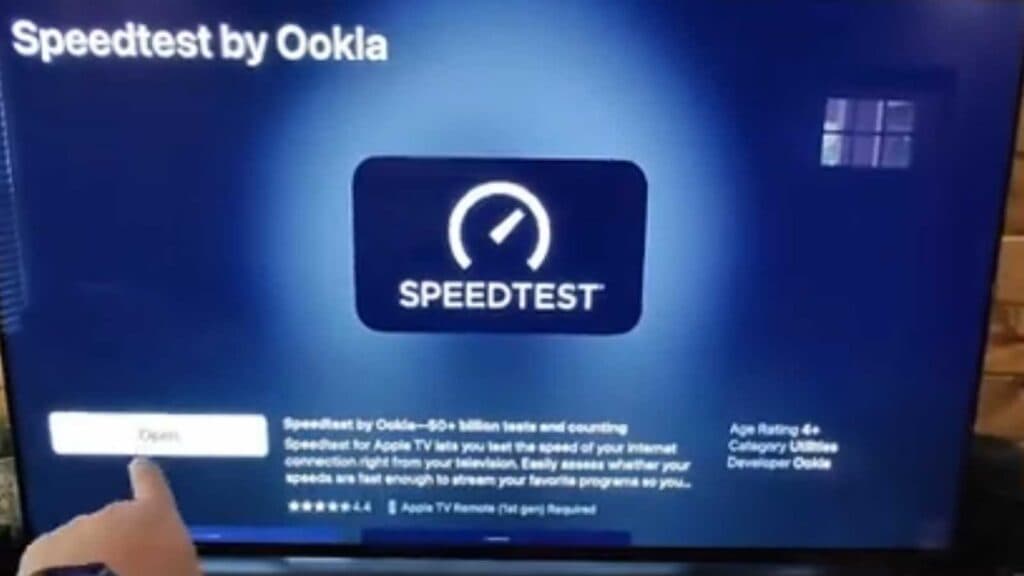
Your Apple TV connection is slower than you expect, and you need to see exactly what speeds you are getting. You can verify your connection strength directly on the device with a simple app.
- Open the App Store on your Apple TV [0:13].
- Search for “speed” and select the “Speedtest by Ookla” app [0:21].
- Open the app and select the “Go” button to begin the test [0:35].
- Review the download and upload speed results displayed on your screen.
Ninja Tip: If your speeds are consistently low, try connecting your Apple TV directly to your router with an Ethernet cable instead of relying on Wi-Fi. This simple change often provides a much more stable and faster connection for streaming high-definition content.
If you still encounter performance issues, you can perform a factory reset by navigating to Settings > System > Reset.
Keep Reading