How to Turn Off VoiceOver on Apple TV

By Trae Jacobs,

When you buy through our links, we may earn an affiliate commission.
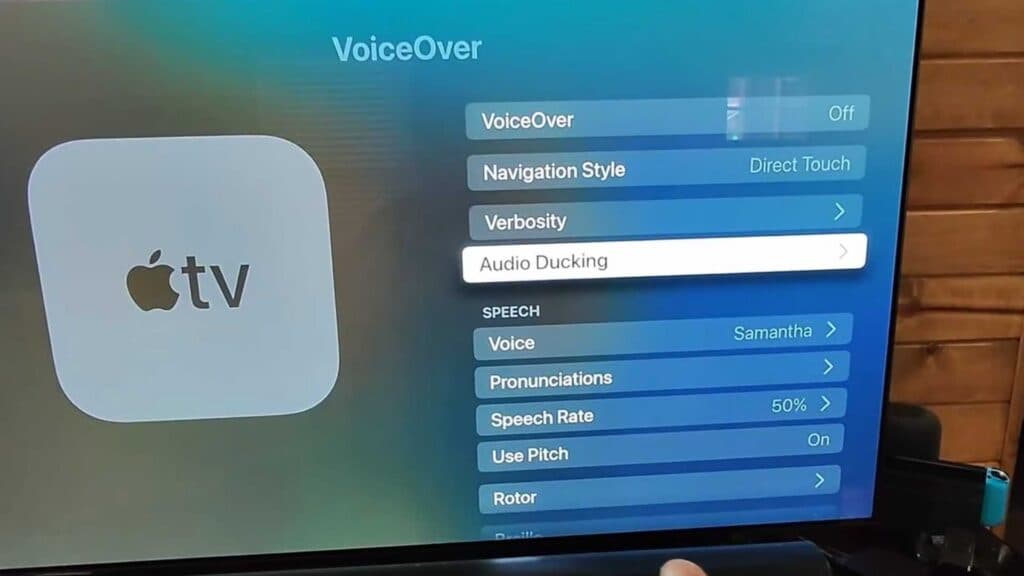
Your Apple TV reads every item you click on the screen out loud. You can disable this voice feedback through your settings menu.
- Open the Settings app on your Apple TV home screen [0:23].
- Scroll down and select the Accessibility menu [0:34].
- Select VoiceOver at the top of the list and toggle the setting to off.
Ninja Tip: You can toggle VoiceOver on or off instantly by triple-clicking the Menu button (on older remotes) or the Back button (on the Siri Remote) three times in quick succession. This shortcut is the fastest way to manage the feature without navigating through your settings menus.
If the issue persists, perform a factory reset by going to Settings > System > Reset.
Keep Reading