How to Turn Off Screen Reader Voice on Roku TV

By Trae Jacobs,

When you buy through our links, we may earn an affiliate commission.
Your Roku TV is currently reading everything aloud with the Screen Reader accessibility feature. You can disable this voice setting in just a few moments.
- Press the asterisk button on your Roku remote control four times in quick succession to toggle the screen reader off. [0:30]
- If the button shortcut doesn’t work, navigate to the Settings menu on your home screen and select it. [1:05]
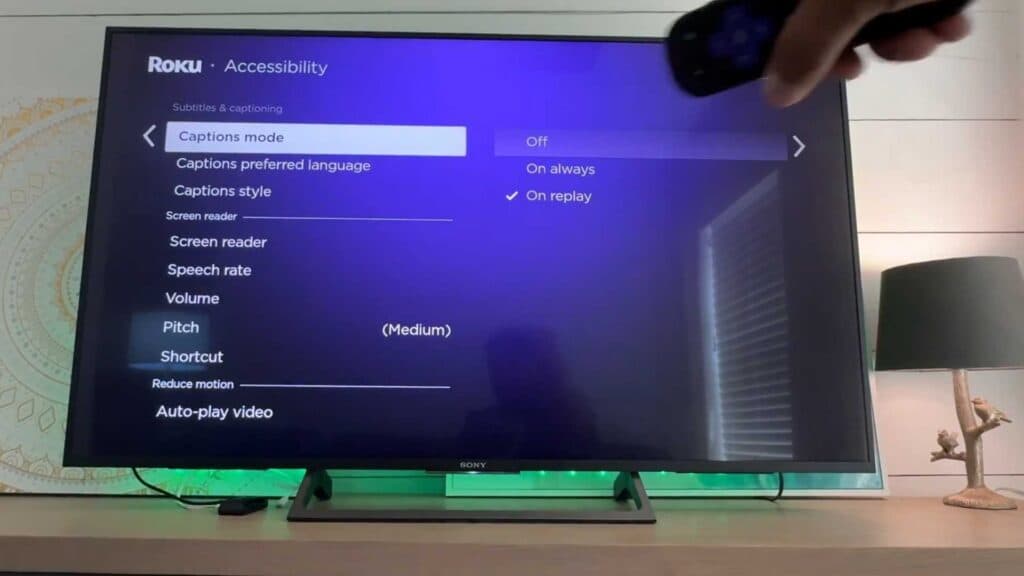
- Scroll down and choose the Accessibility option. [1:14]
- Select Screen Reader and change the setting to Off.
Ninja Tip: If you want to keep the screen reader enabled but find the pace difficult to follow, you can adjust the voice speed to Fast, Very Fast, or Rapid within the same Accessibility menu.
For a complete system refresh, navigate to Settings > System > Advanced system settings > Factory reset.
Keep Reading


