How to Sign Into the Apple TV App on Any Smart TV

By Trae Jacobs,

When you buy through our links, we may earn an affiliate commission.
You are unable to sign into your Apple TV account on your smart TV or streaming device. You can resolve this issue by following these simple steps.
- Locate and open the Apple TV app on your device [0:25].
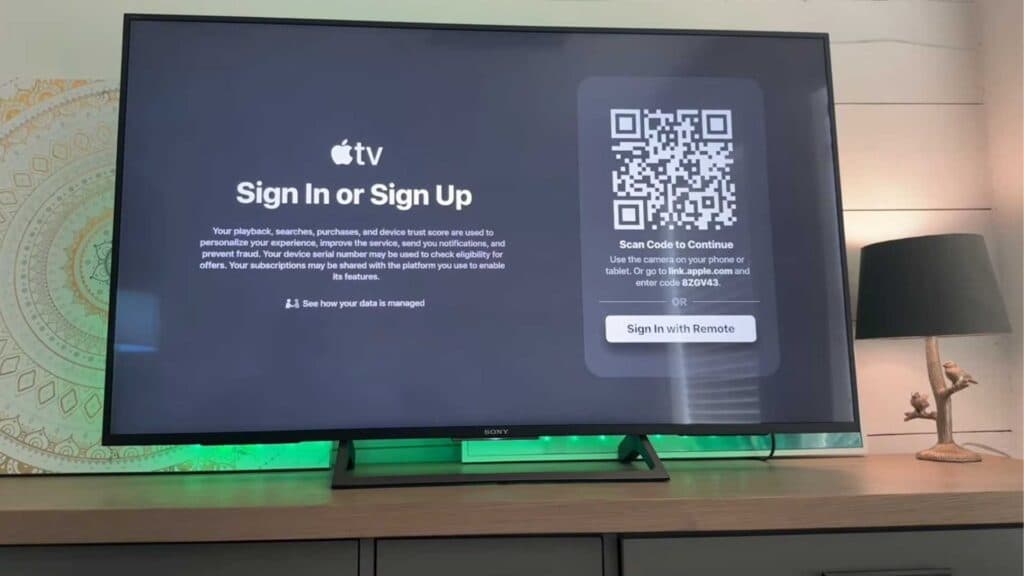
- Select the Sign In or Sign Up option within the app [0:34].
- Choose the QR code option on your screen, as this is the fastest way to authenticate your account [0:49].
- Use your smartphone to scan the QR code displayed on the television [1:41].
- Follow the prompts on your phone to finish signing in with your Apple ID and wait for the TV to refresh [1:52].
Ninja Tip: If you have trouble with the QR code, ensure your phone and TV are on the same Wi-Fi network to help the authentication process complete successfully.
If you still experience issues, perform a factory reset by navigating to Settings > System > Advanced system settings.
Keep Reading



