How to Force Restart a Frozen Apple TV

By Trae Jacobs,

When you buy through our links, we may earn an affiliate commission.
Your Apple TV is frozen and will not respond to your remote. You can resolve this issue by following these steps to force a restart.
- Unplug your Apple TV from the power outlet and wait at least 60 seconds before plugging it back in. This allows the internal energy to dissipate so the device can reboot properly [0:14].
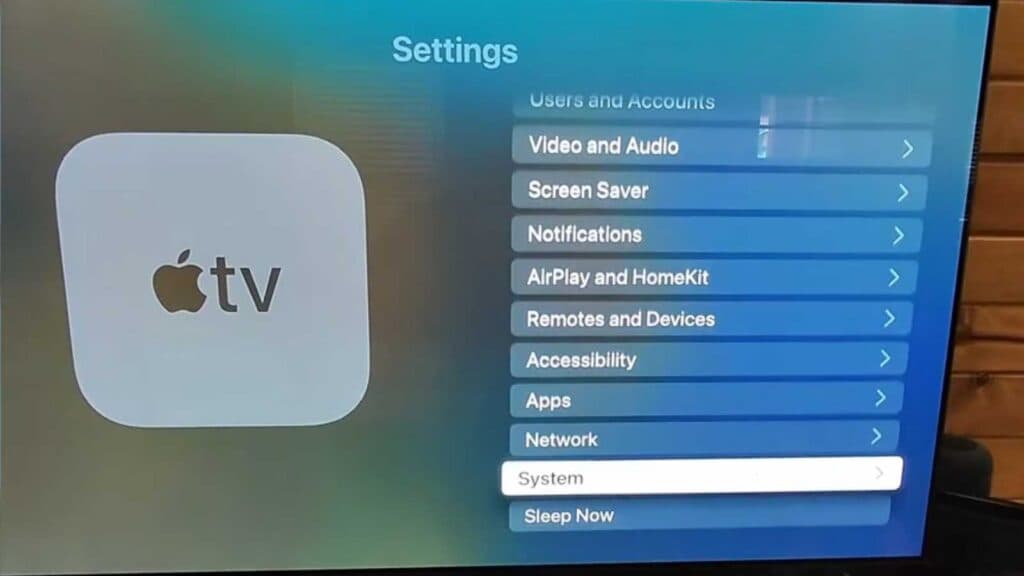
- If your device is still responding to menu navigation, go to Settings, select System, and then choose Restart [0:35].
Ninja Tip: If your remote remains unresponsive after a restart, try holding down the Back (or Menu) and Volume Up buttons for five seconds to re-pair it directly with your Apple TV.
If these steps do not fix the issue, you can perform a factory reset by navigating to Settings > System > Reset.
Keep Reading