How to Check and Update Your Apple TV Software Version

By Trae Jacobs,

When you buy through our links, we may earn an affiliate commission.
You are not sure which tvOS version your Apple TV is running. You can quickly check your software status and perform updates through the settings menu.
- Open Settings, navigate to General, and select About to view your current tvOS version [0:19].
- To check for and install updates, go back to the main Settings menu and select System [0:47].
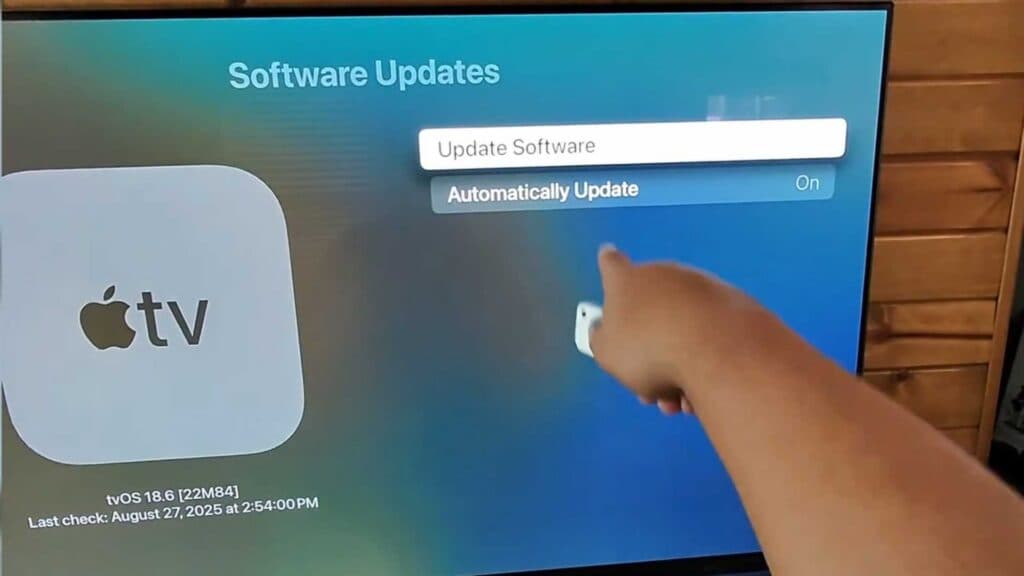
- Select Software Updates and then click Update Software to see if a newer version is available.
- You can also toggle your automatic update settings on or off within the same Software Updates menu.
Ninja Tip: If your Apple TV behaves sluggishly or apps refuse to load, try a quick system restart by holding the Back and TV/Home buttons on your remote simultaneously until the status light flashes.
If you still run into persistent issues, you can perform a factory reset by navigating to Settings > System > Reset.
Keep Reading