How to Change the Wi-Fi Network on Your Apple TV

By Trae Jacobs,

When you buy through our links, we may earn an affiliate commission.
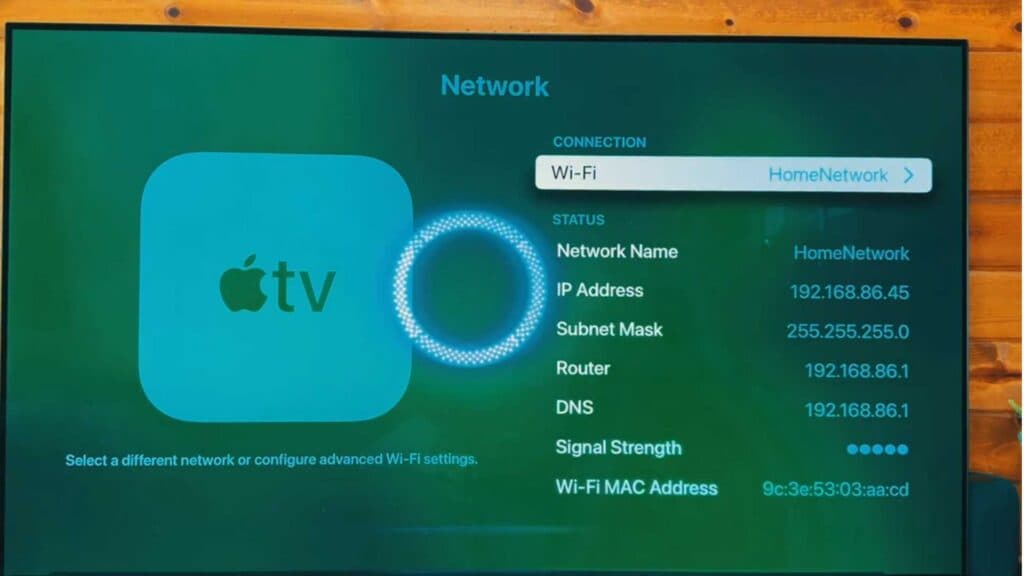
Your Apple TV is disconnected from your wireless internet. You can update your network settings to get back online in a few simple steps.
- Open the Settings menu from your Apple TV home screen [0:20].
- Scroll down and select the Network option [0:25].
- Choose the Wi-Fi network you want to join from the list [0:33].
- Enter your password if you are prompted to do so.
Ninja Tip: If your Apple TV has trouble maintaining a connection, go to Settings > Network > Wi-Fi and select Forget Network, then reconnect from scratch to clear out any corrupted connection data.
If you still cannot connect to the internet, perform a factory reset by navigating to Settings > System > Reset.
Keep Reading