How to Change the Screensaver on Apple TV 4K

By Trae Jacobs,

When you buy through our links, we may earn an affiliate commission.
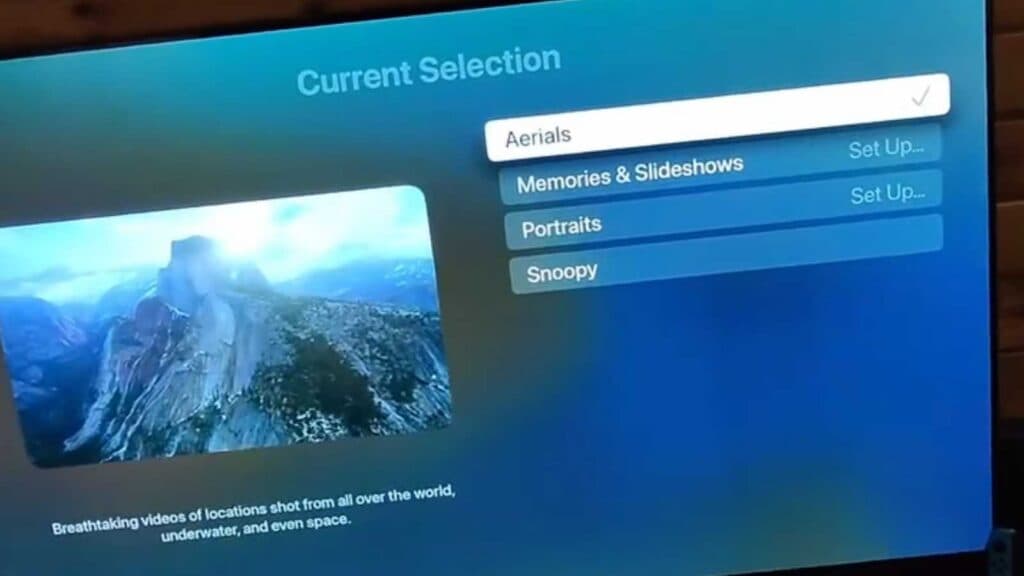
Your Apple TV 4K is currently displaying a screensaver you want to change. You can customize these settings to use different visuals or adjust the timing to suit your preferences.
- Open the Settings menu on your Apple TV home screen. [0:06]
- Select Screen Saver from the list of options. [0:12]
- Choose your preferred category, such as Aerials, Memories, or Slideshows. [0:17]
- Select the Start After option to set how long the device remains inactive before the screensaver begins. [0:40]
- Review the Preferences menu within your chosen category to select specific items or themes you want to display.
Ninja Tip: If you choose to use your own photos for the screensaver, ensure your Apple TV is signed into the same Apple ID used for your iCloud Photos so your albums sync automatically.
If you encounter persistent issues with your device, you can perform a factory reset by navigating to Settings > System > Reset.
Keep Reading