What the Red YouTube Play Button Means in Your Comments

By Trae Jacobs,

When you buy through our links, we may earn an affiliate commission.
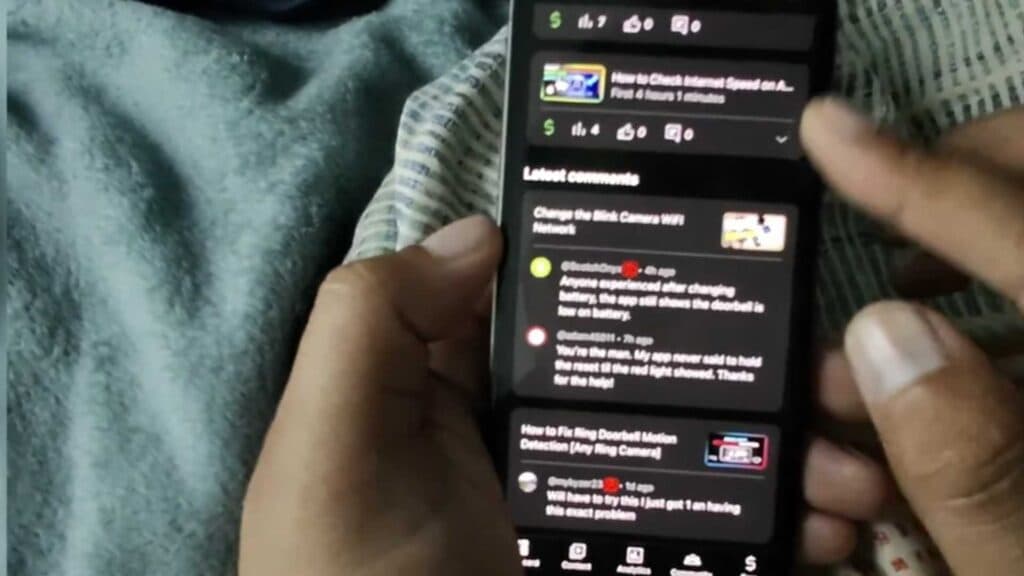
A red YouTube play button icon appears next to a commenter’s name in your YouTube Studio. You can identify exactly what this icon represents and why it appears.
- Check your YouTube Studio app on your phone to see the red play button icon next to specific usernames [0:07]. This icon indicates that the person is publicly subscribed to your channel.
- Access the “Community” tab in your YouTube Studio and scroll down to the “Community Spotlight” section to view more details about your viewers [0:37]. Clicking on a specific commenter allows you to see their channel information and their own public subscriptions [0:50].
Ninja Tip: You can also manage your public subscription visibility by going to your own channel’s “Privacy settings” and toggling “Keep all my subscriptions private” on or off, depending on whether you want others to see your own subscriptions list.
If you need to clear all custom settings or reset your channel data, you must navigate to YouTube Studio > Settings > Channel > Advanced settings.
Keep Reading



