Title: How to Charge Your Arlo Essential Camera

By Trae Jacobs,

When you buy through our links, we may earn an affiliate commission.
Your Arlo Essential camera battery is drained and needs a recharge. You can follow these steps to get your camera back up and running.
- Open the Arlo app and navigate to the camera settings to check the current battery percentage [0:18].
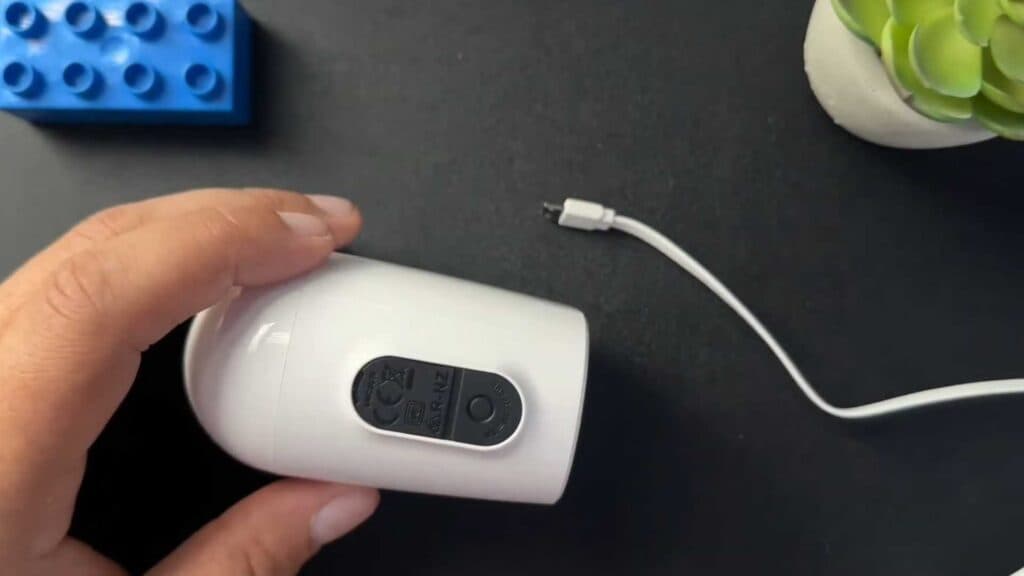
- Locate the rubber cover on the bottom of the camera and use a pen or your fingernail to pop it open [0:34].
- Plug a micro USB cable into the port revealed under the cover and connect the other end to your power source [1:08].
- To replace the cover, pull back on the rubber slightly to align the clips and press it until it lays completely flat.
Ninja Tip: Keep your charging port clean by using a small, dry brush or compressed air before inserting the cable to ensure a secure connection and prevent moisture buildup behind the seal.
If the camera fails to charge after following these steps, navigate to Settings > My Devices > [Select Camera] > Remove Device to reset your connection to the Arlo base station.
Keep Reading


