How to Watch Crunchyroll on an LG Smart TV

By Trae Jacobs,

When you buy through our links, we may earn an affiliate commission.
Your LG TV does not support the Crunchyroll app directly on its operating system. You can bypass this limitation using one of the following methods.
- Connect an external streaming device like a Fire Stick, Roku, or Apple TV to an HDMI port and install the Crunchyroll app from its store [0:55].
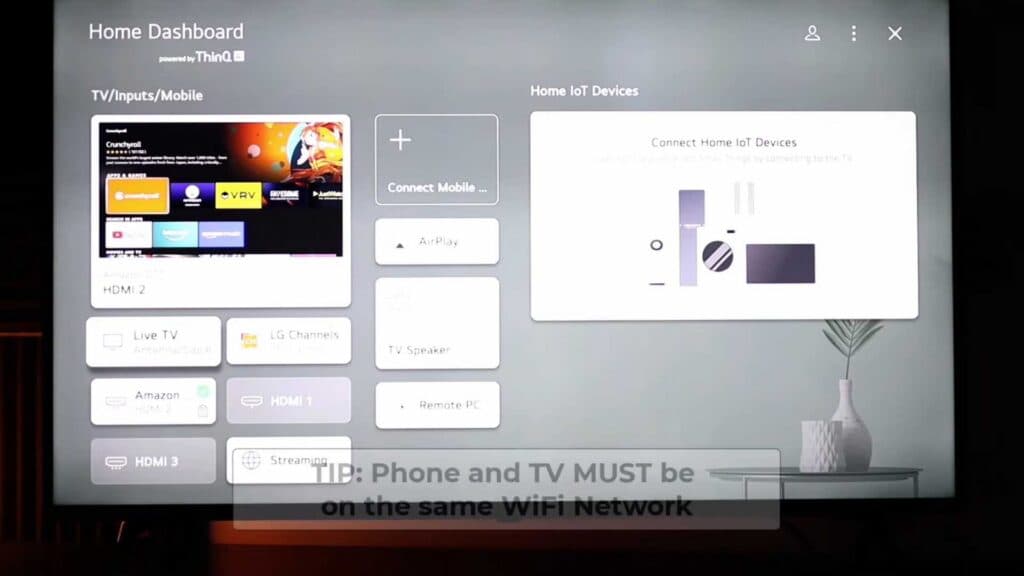
- Mirror your smartphone screen to your LG TV by ensuring both devices share the same Wi-Fi network and selecting the AirPlay or screen mirroring option [1:31].
- Download the Web Video Caster app on your phone to cast Crunchyroll content directly to your LG TV [2:31].
- Connect your laptop or phone to the TV using an HDMI cable or a compatible adapter to display your browser on the big screen [3:33].
- Use a gaming console like an Xbox or PlayStation that is already plugged into your TV to download and run the Crunchyroll app.
Ninja Tip: Check if your LG TV has a built-in web browser as you can sometimes navigate directly to the Crunchyroll website and stream videos without any extra hardware.
For a complete system refresh, navigate to All Settings > Support > Reset to Initial Settings.
Keep Reading



