How to Update Your Google TV Software

By Trae Jacobs,

When you buy through our links, we may earn an affiliate commission.
Your Google TV is running slowly and some of your apps are not working correctly. You can resolve these issues by checking for and installing the latest system updates.
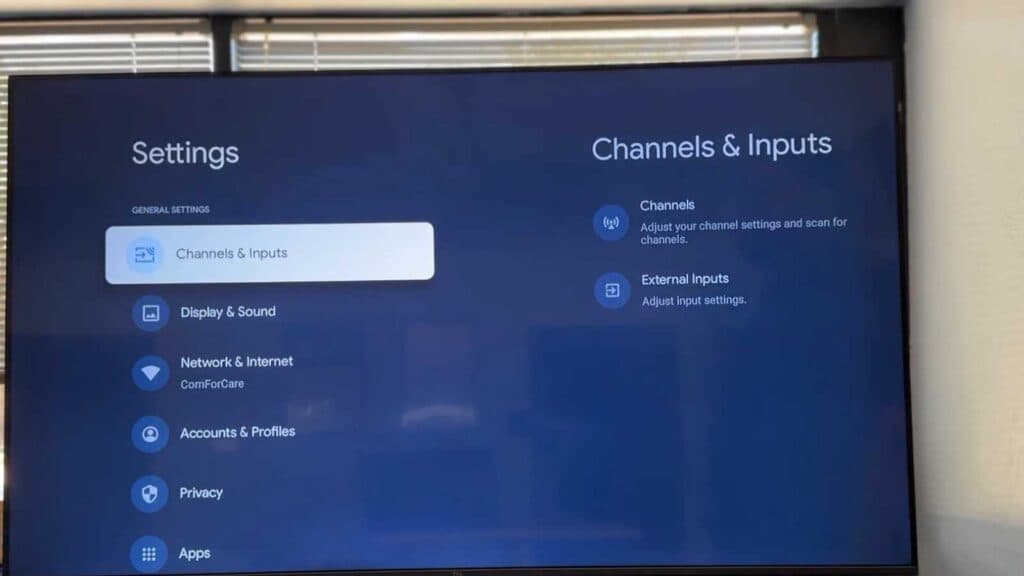
- Open the Settings menu on your TV screen [0:30].
- Select the gear icon to enter All settings [0:35].
- Scroll down to the System menu and select About [0:43].
- Select System update to check if a new version of the software is available [0:50].
- If your device prompts you, select the option to perform a Network update to finalize the installation [1:00].
Ninja Tip: Don’t forget to update your apps individually by opening the Google Play Store on your TV, selecting your profile icon, and choosing “Manage apps and games” to install any pending updates.
If you are still experiencing issues after updating, you can perform a factory reset by navigating to Settings > System > About > Reset > Factory reset.
Keep Reading



