How to Update the Software on Your Samsung TV

By Trae Jacobs,

When you buy through our links, we may earn an affiliate commission.
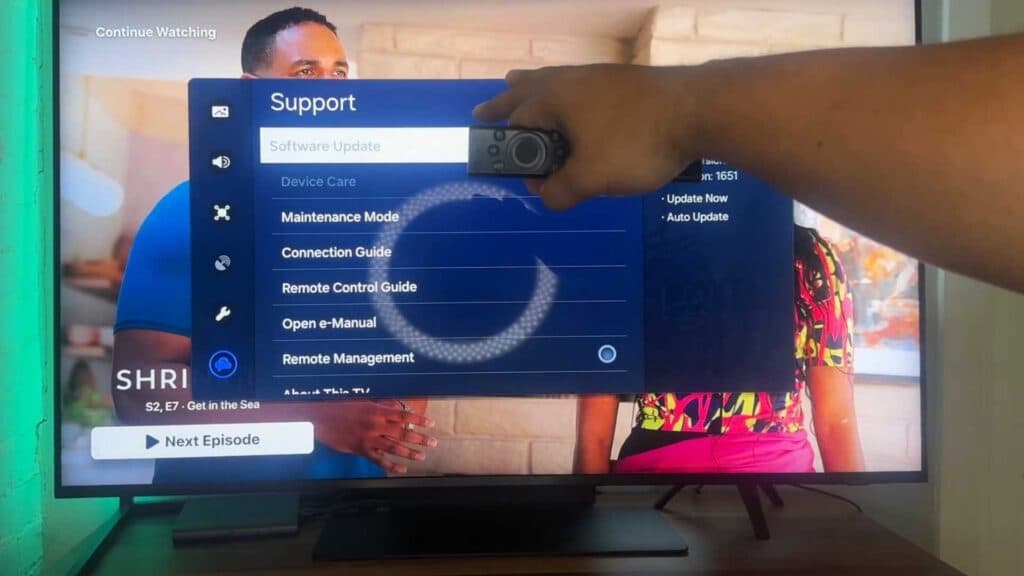
Your Samsung TV is currently running outdated firmware. You can update your television software by following these steps.
- Use your remote to navigate to the Settings menu on your TV [0:21].
- Scroll through the options until you reach the Support section [0:28].
- Select the Software Update option to check for and install any available downloads [0:37].
Ninja Tip: Enable Auto Update within the same Support menu so your TV installs new firmware versions automatically without requiring manual intervention.
If the update fails to resolve your issues, perform a factory reset by navigating to Settings > General > Reset.
Keep Reading



