How to Turn Read Receipts On or Off on iPhone

By Trae Jacobs,

When you buy through our links, we may earn an affiliate commission.
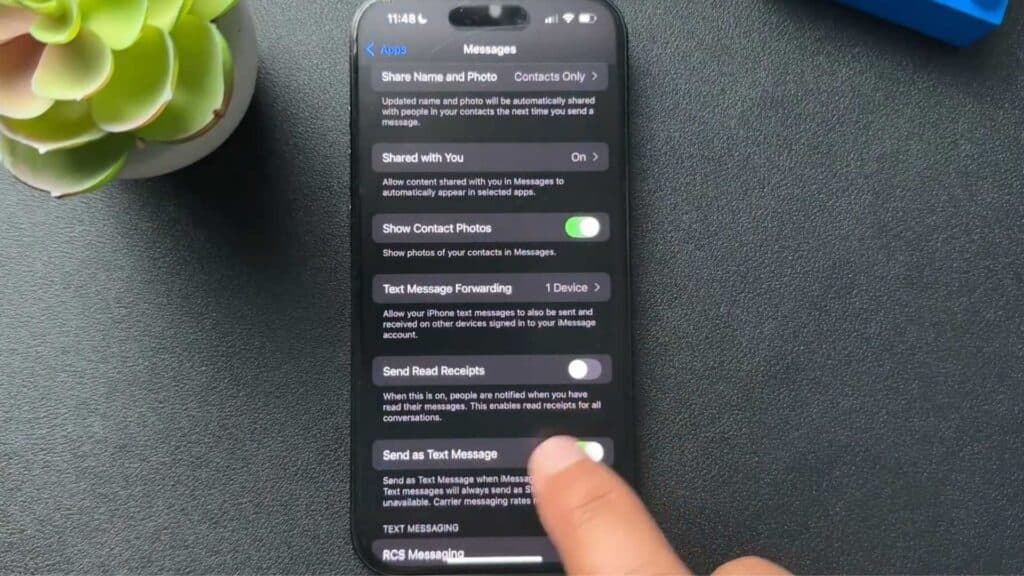
Your iMessage read receipts are currently showing when you have viewed a message from another person. You can change this setting through your phone’s menu in a few seconds.
- Open the Settings app on your iPhone. [0:07]
- Scroll down and tap on Messages to view your app preferences. [0:15]
- Locate the Send Read Receipts toggle and switch it to your preferred position to either enable or disable the feature.
Ninja Tip: You can also manage read receipts for individual conversations by opening a specific text thread, tapping the contact name at the top, and toggling Send Read Receipts for just that person.
If these settings fail to update your status, navigate to Settings > General > Transfer or Reset iPhone > Reset > Reset All Settings.
Keep Reading



