How to Turn Off the Beeping Sound on a Samsung Microwave

By Trae Jacobs,

When you buy through our links, we may earn an affiliate commission.
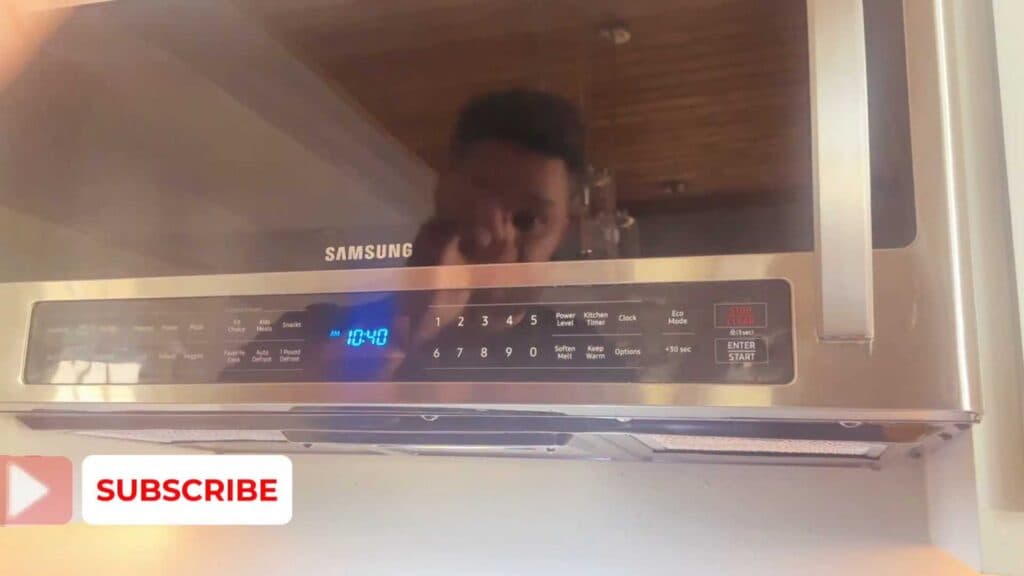
Your Samsung microwave emits a loud beep every time you press a button or finish a cooking cycle. You can disable these audible alerts by adjusting the sound settings.
- Press the Options button until you reach the Sound Settings menu, which is identified as Option 3 [0:10].
- Press 2 to turn the sound off, or 1 to turn it back on [0:30].
- Press the Enter or Start button to save your selection.
Ninja Tip: If you ever need to restore the factory default settings, you can usually perform a power cycle by unplugging the microwave from the wall outlet for at least 60 seconds before plugging it back in.
If these steps do not stop the sound, you can restore all factory settings through the “Reset” option located within the system configuration menu.
Keep Reading



