How to Turn Off Keyboard Sounds and Haptics on iPhone

By Trae Jacobs,

When you buy through our links, we may earn an affiliate commission.
Your iPhone makes a clicking sound every time you type a message. You can stop these noises by adjusting your device settings.
- Open the Settings app on your iPhone. [0:21]
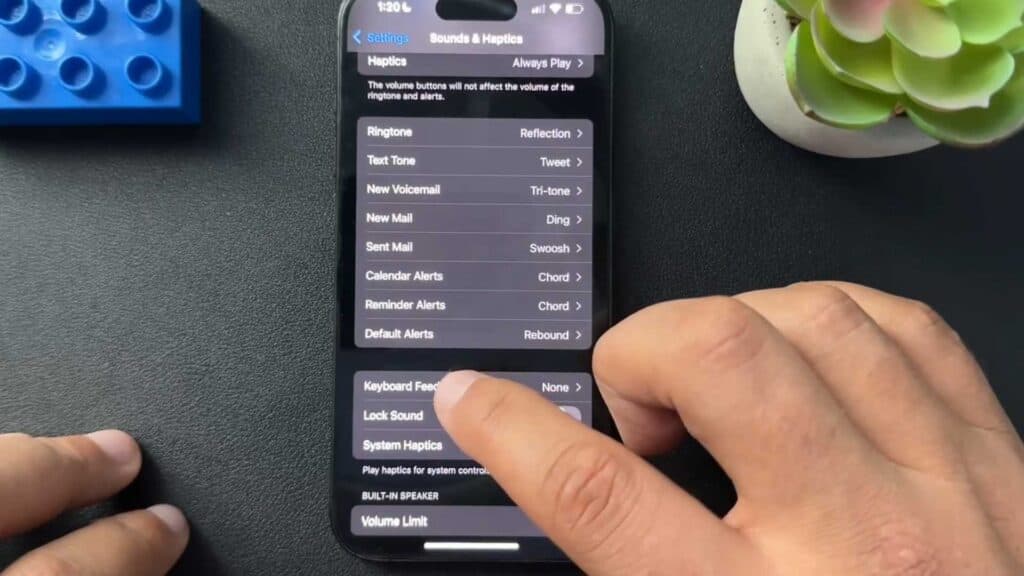
- Scroll down and tap on Sounds & Haptics. [0:26]
- Scroll to the bottom of the menu and select Keyboard Feedback. [0:36]
- Toggle the Sound switch to the off position to silence the clicking, and toggle the Haptic switch off if you want to stop the vibration feedback.
Ninja Tip: If you want to keep your keyboard silent but still need tactile feedback, keep the Haptic switch turned on while leaving the Sound switch off for a quieter typing experience.
If these adjustments do not resolve your issue, perform a reset of your keyboard dictionary by going to Settings > General > Transfer or Reset iPhone > Reset > Reset Keyboard Dictionary.
Keep Reading



