How to Turn Off Keyboard Clicking Sound on iPhone

By Trae Jacobs,

When you buy through our links, we may earn an affiliate commission.
Your iPhone plays a clicking sound every time you type on the keyboard. You can disable this setting to silence the taps while you text.
- Open the Settings app on your iPhone. [0:18]
- Scroll down and tap on Sounds & Haptics. [0:25]
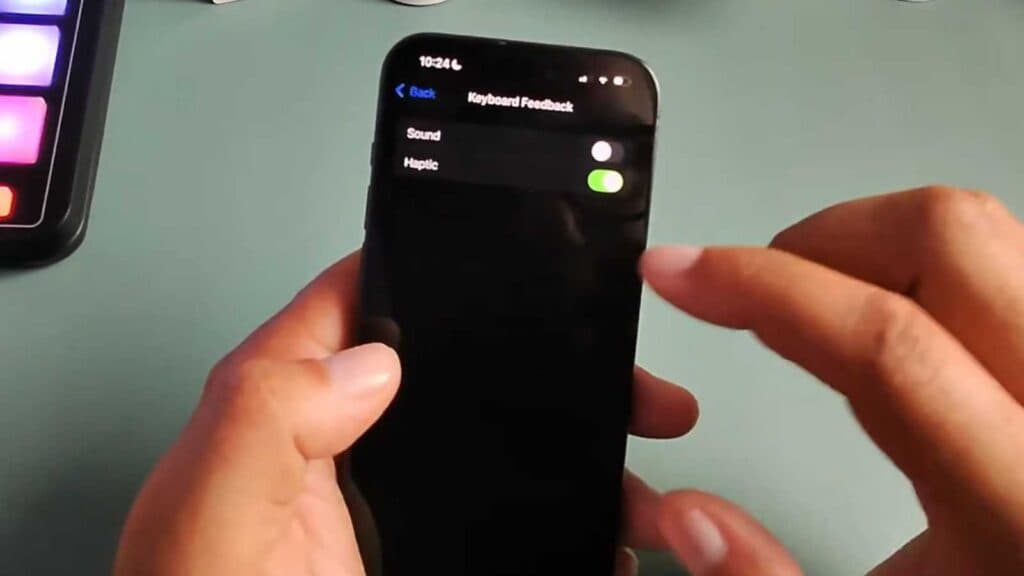
- Select Keyboard Feedback. [0:30]
- Toggle off the switch next to Sound.
- If you also want to remove the vibration feedback, toggle off the switch for Haptic.
Ninja Tip: If you want to silence your keyboard instantly without changing settings, you can flip the physical silent switch on the side of your iPhone to turn on silent mode.
If the sound persists after following these steps, you can reset your device’s settings by navigating to Settings > General > Transfer or Reset iPhone > Reset > Reset All Settings.
Keep Reading



