How to Turn Off Closed Captions on an LG TV

By Trae Jacobs,

When you buy through our links, we may earn an affiliate commission.
Your LG TV currently displays closed captions during every show you watch. You can easily disable this feature by following a few simple steps in your settings menu.
- Press the Settings button on your remote control to open the main menu [0:28].
- Select All Settings to access the complete list of TV configurations [0:33].
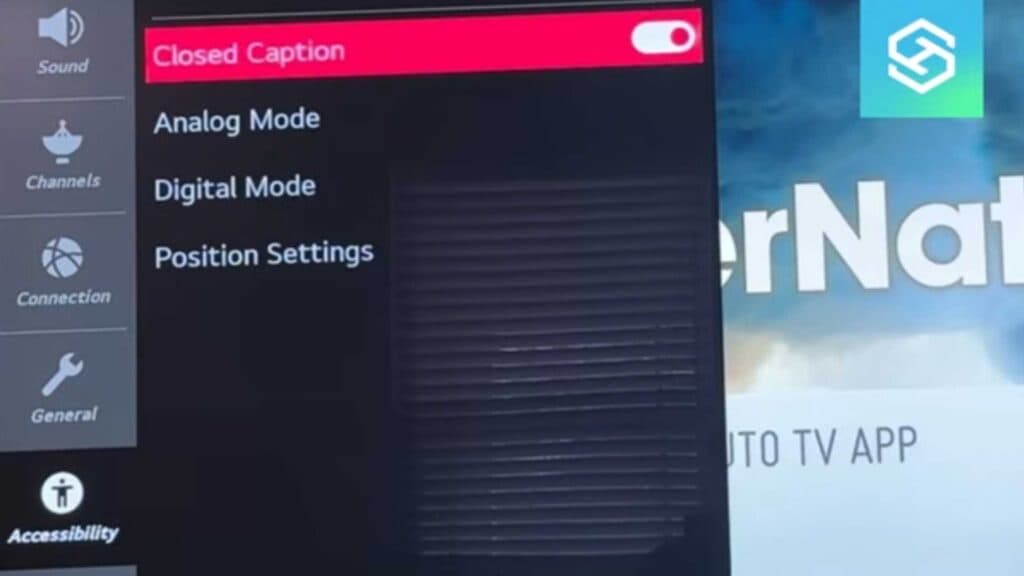
- Navigate down to the Accessibility menu [0:40].
- Select the Closed Captions option at the bottom of the list [0:48].
- Toggle the switch to the Off position to remove the captions from your screen.
Ninja Tip: If you want to keep captions on but find them hard to read, look for the Mode Options menu under the closed captions settings to customize the font size, text color, and background opacity to your liking. Adjusting these settings can make the text much easier to read without needing to turn them off completely.
If you still see captions after completing these steps, try a full power cycle by unplugging your TV from the wall for 30 seconds.
Keep Reading


