How to Turn Off Always-On Display on iPhone 16

By Trae Jacobs,

When you buy through our links, we may earn an affiliate commission.
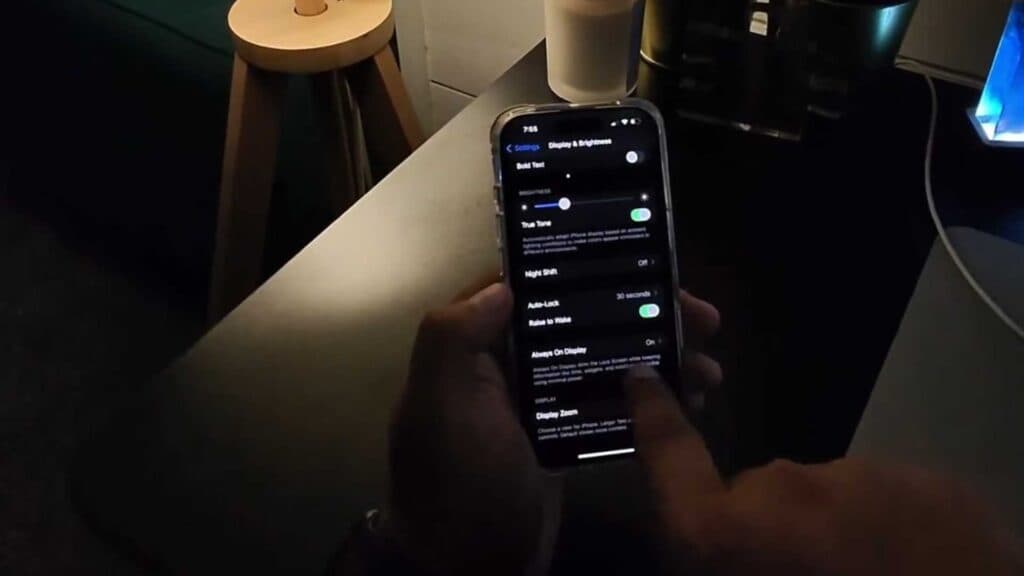
Your iPhone 16 screen stays lit even when the device is locked. You can disable this feature in your settings to have the screen go completely black.
- Open the Settings app and select Display & Brightness [0:18].
- Scroll down to Always On Display and toggle the switch to the off position [0:32].
- If you prefer to keep some information visible without the full wallpaper, you can adjust the individual Show Wallpaper or Show Notifications settings within that same menu [0:48].
Ninja Tip: You can also enable a Sleep Schedule or use Focus modes like “Sleep” to automatically disable the Always-On Display during specific hours of the night.
If you encounter persistent issues with the display settings, you can reset your preferences by going to Settings > General > Transfer or Reset iPhone > Reset > Reset All Settings.
Keep Reading



