How to Turn Off Active Now Status on Instagram

By Trae Jacobs,

When you buy through our links, we may earn an affiliate commission.
Your Instagram followers currently see the green indicator whenever you are online. You can disable this feature to keep your activity private.
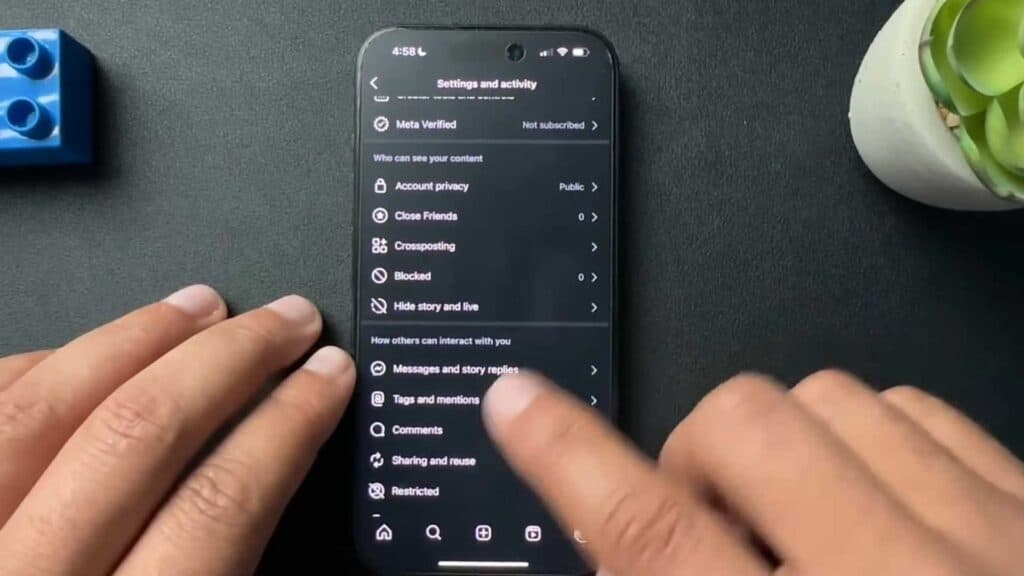
- Open your Instagram app and tap your profile picture in the bottom right corner [0:21].
- Tap the three horizontal lines in the top right to open your settings [0:25].
- Select the menu option for messages and story replies [0:39].
- Toggle off the show activity status switch to hide your online presence.
Ninja Tip: Keep in mind that turning off your activity status also prevents you from seeing when other people are online, as this is a mutual privacy setting.
If the settings are not appearing correctly, navigate to Settings > Help > Report a Problem to refresh your account configuration.
Keep Reading



