How to Switch Your Instagram Back to a Personal Account

By Trae Jacobs,

When you buy through our links, we may earn an affiliate commission.
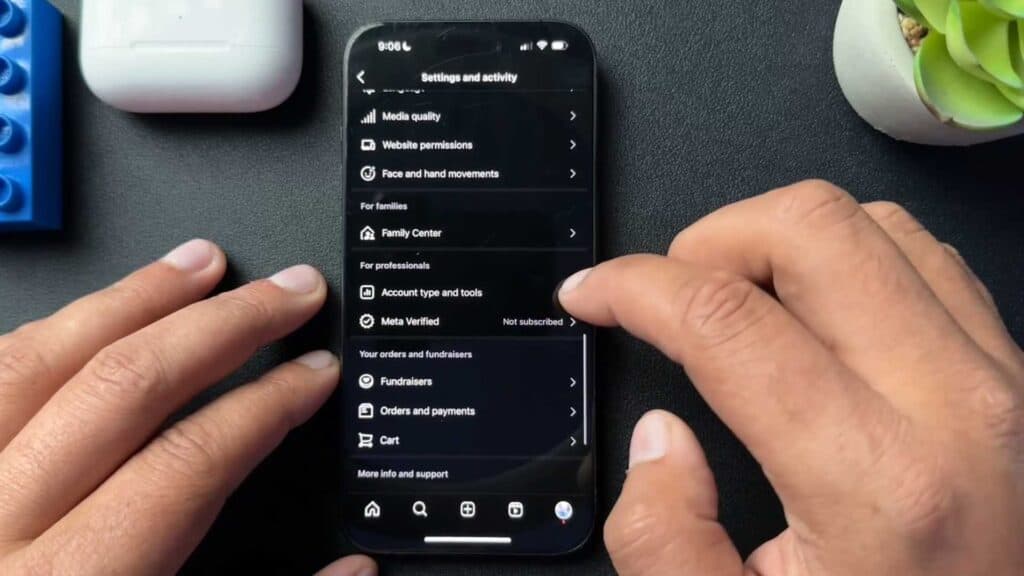
Your Instagram account is currently in professional mode, which restricts access to privacy settings like vanish mode. You can switch your account back to a personal profile by following these steps.
- Open your profile and tap the three-line menu icon in the upper right corner [0:42].
- Scroll to the bottom of the menu and select “Account type and tools” [0:54].
- Tap on “Switch account type” and select “Switch to personal account” [1:57].
- Confirm your choice to finalize the switch, which removes your professional dashboard and restores standard personal account features.
Ninja Tip: If you want to keep some professional features like contact buttons but still maintain a private profile, ensure your account is set to Private under Settings > Privacy before switching back to a personal account.
If you encounter persistent issues, you can reset your app preferences by navigating to your phone’s Settings > Apps > Instagram > Storage and selecting Clear Cache.
Keep Reading



