How to Stop Sponsored Ads on Echo Show 15 Home Screen

By Trae Jacobs,

When you buy through our links, we may earn an affiliate commission.
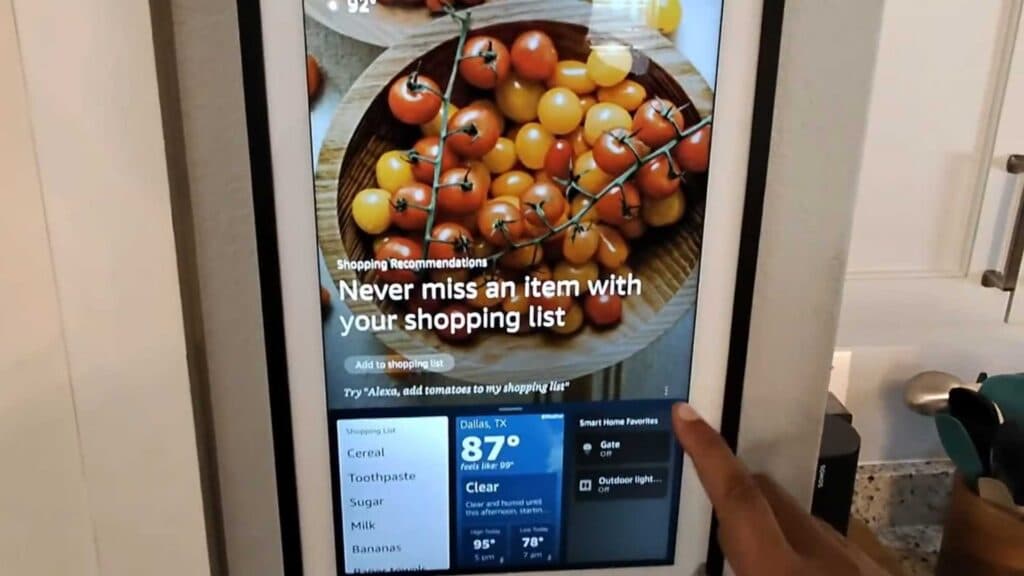
Your Echo Show 15 displays shopping recommendations and sponsored content on the home screen. You can turn these off to clear your display.
- Locate the three dots on the ad or content widget you want to hide and select them to reveal options like hiding the content or jumping straight to settings [0:27].
- Open your device settings by swiping down from the top of the screen and tapping the settings icon [1:24].
- Navigate to Display & Appearance and select Home Content Categories [1:29].
- Review the list of content categories and toggle off any items, such as “Shop,” that you no longer want to see on your home screen.
Ninja Tip: You can also manage your privacy and personalized advertising settings by logging into your Amazon account on a web browser and visiting the “Manage Your Content and Devices” page under your account preferences.
If the interface remains unresponsive, navigate to Settings > Device Options > Reset to Factory Defaults.
Keep Reading



