How to Stop Siri from Reading Text Messages Aloud

By Trae Jacobs,

When you buy through our links, we may earn an affiliate commission.
Siri reads every incoming text message out loud on your iPhone. You can change this setting to keep your notifications private.
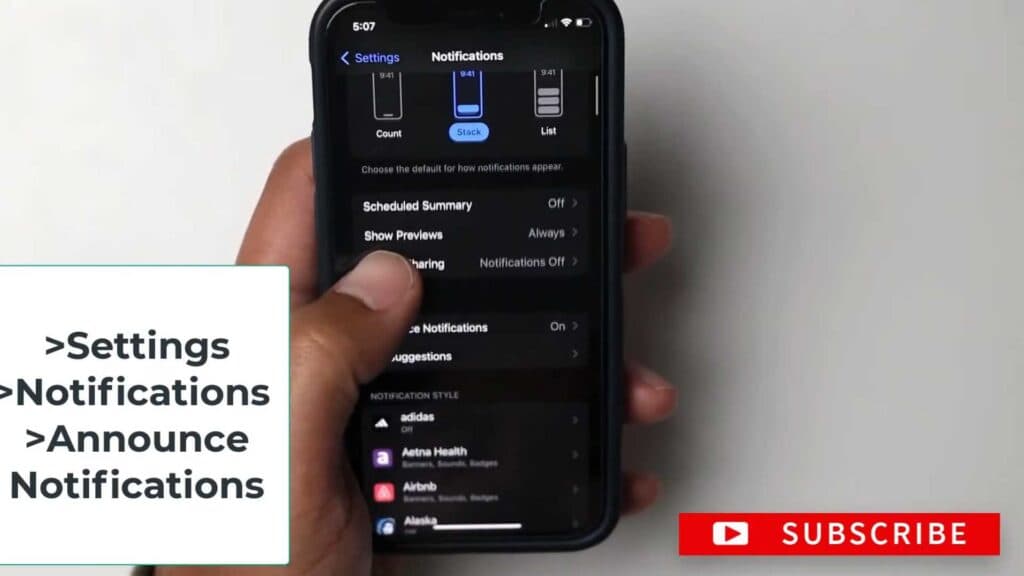
- Open your iPhone Settings and select Notifications [0:07].
- Tap on Announce Notifications and toggle the feature off.
Ninja Tip: If you want to keep notifications active for headphones but not your speakers, adjust the Announce Notifications options for CarPlay and Headphones individually within the same menu.
If the issue persists, perform a reset by navigating to Settings > General > Transfer or Reset iPhone > Reset > Reset All Settings.
Keep Reading


