How to Silence Unknown Spam Calls on Your iPhone

By Trae Jacobs,

When you buy through our links, we may earn an affiliate commission.
Your phone rings constantly with incoming calls from numbers you do not recognize. You can easily stop your phone from ringing for these unwanted callers.
- Open your Settings app and scroll down to the bottom to locate your list of apps [0:26].
- Find and tap on the Phone app within that list [0:33].
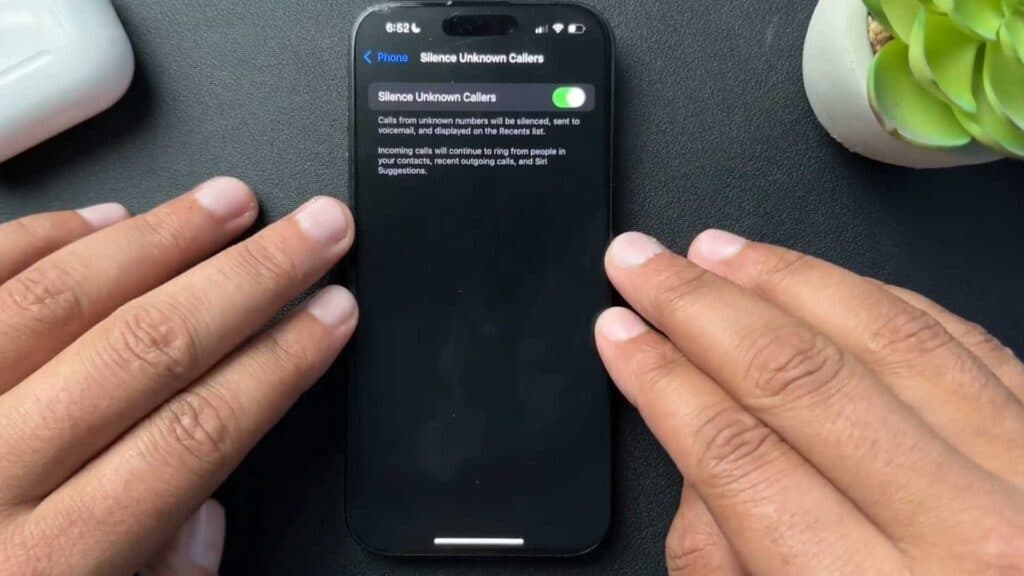
- Tap on the Silence Unknown Callers option located near the bottom of the screen [0:44].
- Toggle the switch to turn this feature on.
Ninja Tip: You can also enable “Silence Junk Callers” or install a reputable third-party spam-blocking app from the App Store to provide an extra layer of protection against sophisticated telemarketing schemes.
If you continue to experience severe issues with unwanted communication, you can perform a factory reset by navigating to Settings > General > Transfer or Reset iPhone > Erase All Content and Settings.
Keep Reading



