How to Sign Out of Your Spotify Account on iPhone

By Trae Jacobs,

When you buy through our links, we may earn an affiliate commission.
You are logged into your Spotify account on your iPhone and need to sign out. You can resolve this by following the steps outlined below.
- Open the Spotify app on your iPhone [0:06].
- Tap your profile image, which is usually the first letter of your profile name, located at the top of the screen [0:10].
- Select the “Settings and privacy” menu [0:18].
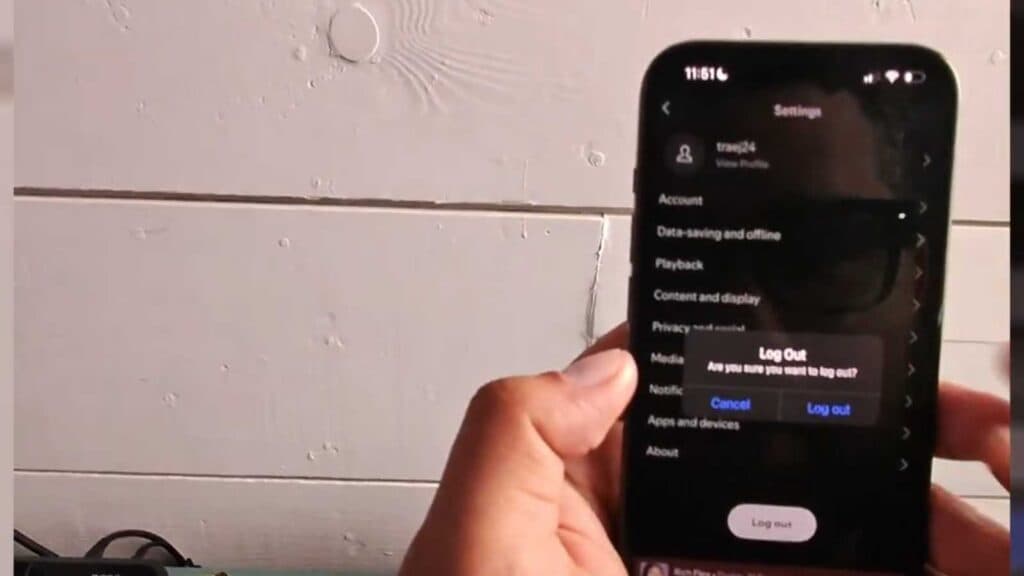
- Scroll to the very bottom of the menu and tap the Log out button.
- Confirm your choice when prompted to verify that you want to sign out.
Ninja Tip: If you are having trouble logging out or your app is frozen, go to your iPhone’s main Settings > General > iPhone Storage, find Spotify in the list, and select “Offload App” to clear out temporary data.
If you still experience issues with your account, you can perform a clean installation by deleting the app entirely via Settings > General > iPhone Storage > Spotify > Delete App.
Keep Reading


