How to Sign Into Disney+ on Your Smart TV

By Trae Jacobs,

When you buy through our links, we may earn an affiliate commission.
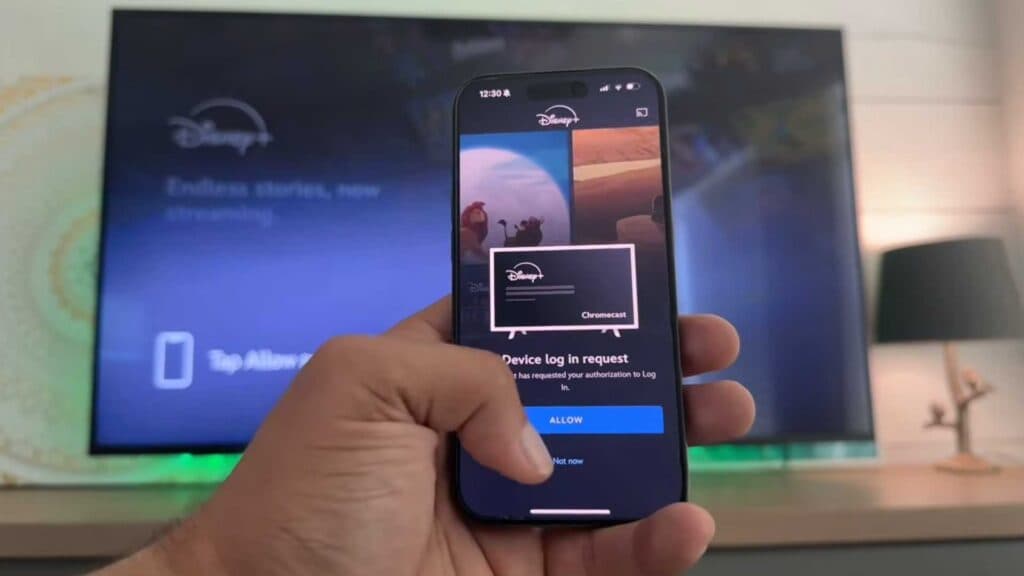
Your smart TV is currently logged out of Disney+. You can fix this quickly using your phone.
- Open the Disney+ app on your television screen [0:24].
- Select the login button located at the bottom of the screen [0:57].
- Enter your email address manually or choose the password login option if you prefer [1:02].
- Use your phone to sign in by opening the Disney+ app while both devices are active [1:57].
- Tap the allow prompt on your phone screen when it appears to complete the login process.
Ninja Tip: If you have trouble connecting, ensure both your phone and smart TV are connected to the exact same Wi-Fi network to allow the devices to sync properly.
If these steps fail to resolve your issue, perform a factory reset by navigating to Settings > System > Advanced system settings.
Keep Reading


