How to Sign In to Amazon Prime Video on Your Smart TV

By Trae Jacobs,

When you buy through our links, we may earn an affiliate commission.
You are unable to access your Amazon Prime Video account on your smart TV. You can fix this quickly by following these steps.
- Navigate to your television’s home screen and open the Prime Video app [0:23].
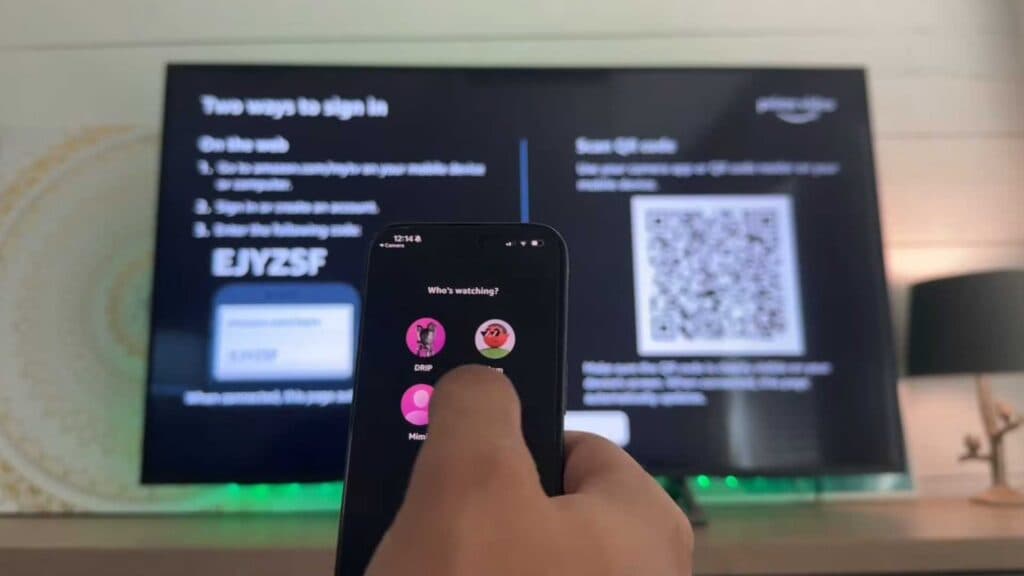
- Select the sign-in button to view your login options [0:32].
- Go to amazon.com/mytv on your smartphone or computer and enter the code shown on your TV screen [0:46].
- Alternatively, scan the QR code directly from your TV using your mobile device and select the allow button to complete the login process.
Ninja Tip: If you have two-factor authentication enabled on your Amazon account, keep your phone nearby so you can quickly verify the login attempt without having to re-enter your credentials.
If the app remains unresponsive or errors continue, perform a factory reset via Settings > System > Advanced system settings.
Keep Reading



