How to Share Your Spotify Wrapped Stats to Social Media

By Trae Jacobs,

When you buy through our links, we may earn an affiliate commission.
You want to post your Spotify Wrapped results to social media but aren’t sure how. You can quickly export these stats directly from the Spotify app.
- Open the Spotify Wrapped section by tapping the large banner on your home screen or selecting the Wrapped button in the top menu [0:16].
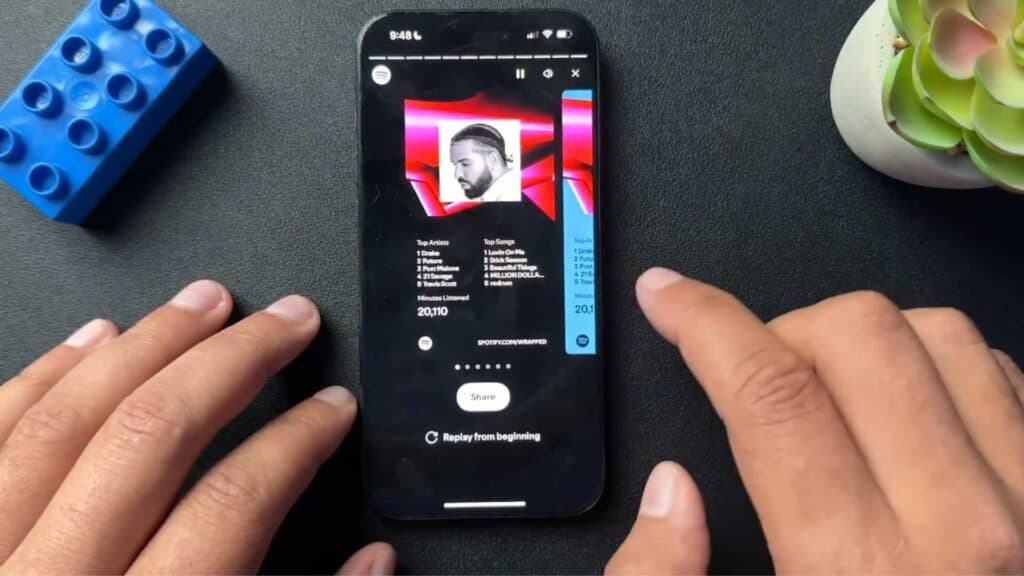
- Browse through the slides until you reach the summary page that displays your listening data [0:32].
- Select the specific Wrapped slide you want to share [0:42].
- Tap the share button and choose the social media platform where you want to post your stats [0:52].
- Select your story option and confirm the upload to your account.
Ninja Tip: You can also take a screenshot of any Wrapped slide to save it as an image in your phone’s gallery if you prefer to share it manually later.
If you still cannot view your Wrapped results, update your application by going to Settings > App Store or Google Play Store > Updates.
Keep Reading