How to Share Your iPhone Wi-Fi Password With Guests

By Trae Jacobs,

When you buy through our links, we may earn an affiliate commission.
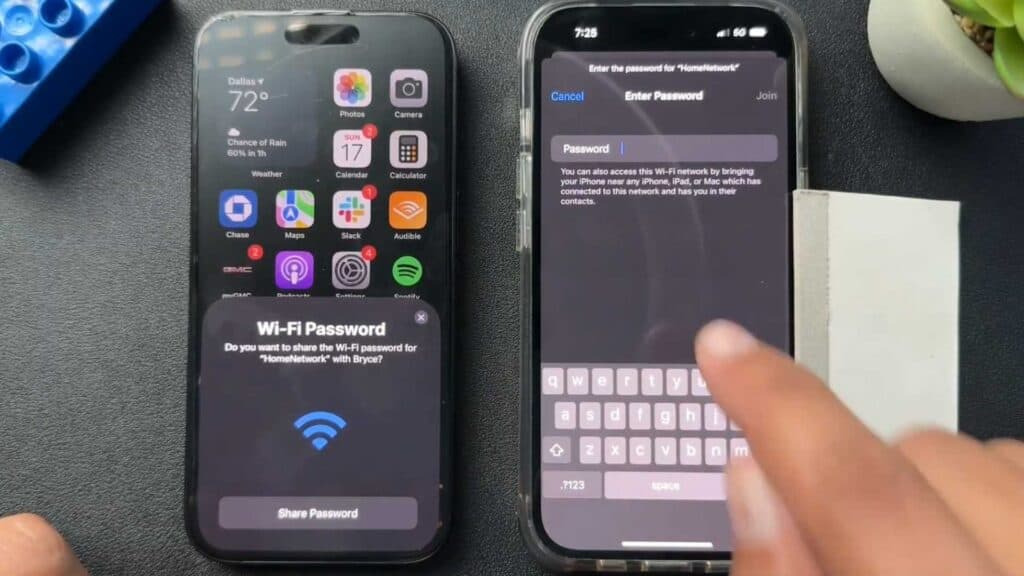
Your guests cannot connect to your Wi-Fi network because they do not know the password. You can share your credentials directly from your device to theirs automatically.
- Ensure both devices have Bluetooth turned on and the guest is saved in your contacts [0:07].
- Open the Settings app on your iPhone and tap Wi-Fi [0:28].
- Select your network from the list [0:44].
- Tap the Share Password button when the prompt appears on your screen.
Ninja Tip: If the pop-up does not appear, try toggling your Wi-Fi off and back on or move the devices closer to each other to ensure a strong Bluetooth handshake.
If these steps do not work, navigate to Settings > General > Transfer or Reset iPhone > Reset > Reset Network Settings.
Keep Reading




