How to Set Your Ecobee Minimum Fan Runtime

By Trae Jacobs,

When you buy through our links, we may earn an affiliate commission.
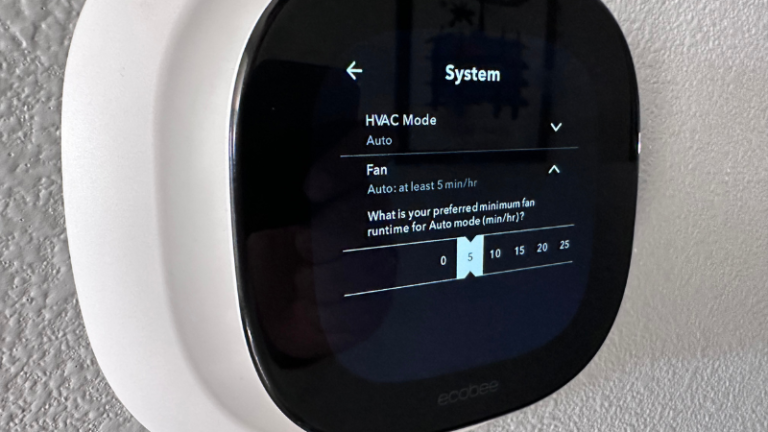
Your HVAC fan sits idle between heating and cooling cycles, leading to inconsistent temperatures in different rooms. You can fix this by adjusting your Ecobee thermostat’s minimum fan runtime to keep air circulating throughout your home.
- Access the settings menu on your Ecobee thermostat to begin adjusting your airflow [0:00].
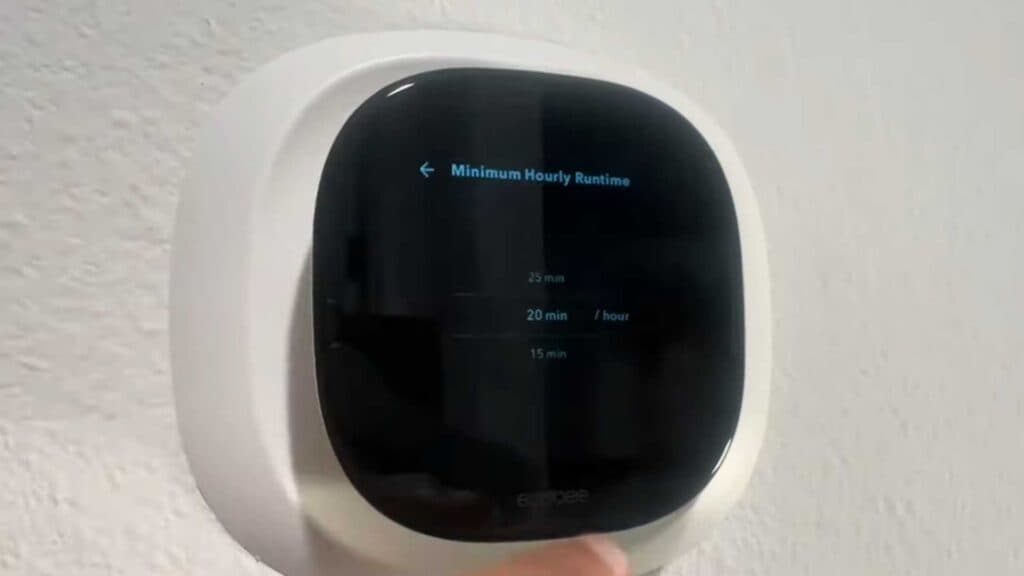
- Locate the minimum fan runtime setting in the menu [0:12].
- Choose the specific number of minutes you want your fan to run each hour [0:18].
- Observe how the system spreads that selected time evenly across the entire hour rather than running it all at once [0:36].
- Adjust this setting based on the season, starting lower in the summer to manage humidity and higher in the winter to balance heat [0:52].
Ninja Tip: Keep in mind that running the fan for too long during hot, humid summers can actually increase indoor humidity levels by re-evaporating moisture off your AC coils after the cooling cycle ends. If you notice your house feeling damp, try reducing your minimum runtime during the cooling season.
If you ever need to revert your thermostat to its original state, you can perform a full reset by selecting Settings > Reset > Reset All Settings.