How to Set Up Your Blink Outdoor Camera

By Trae Jacobs,

When you buy through our links, we may earn an affiliate commission.
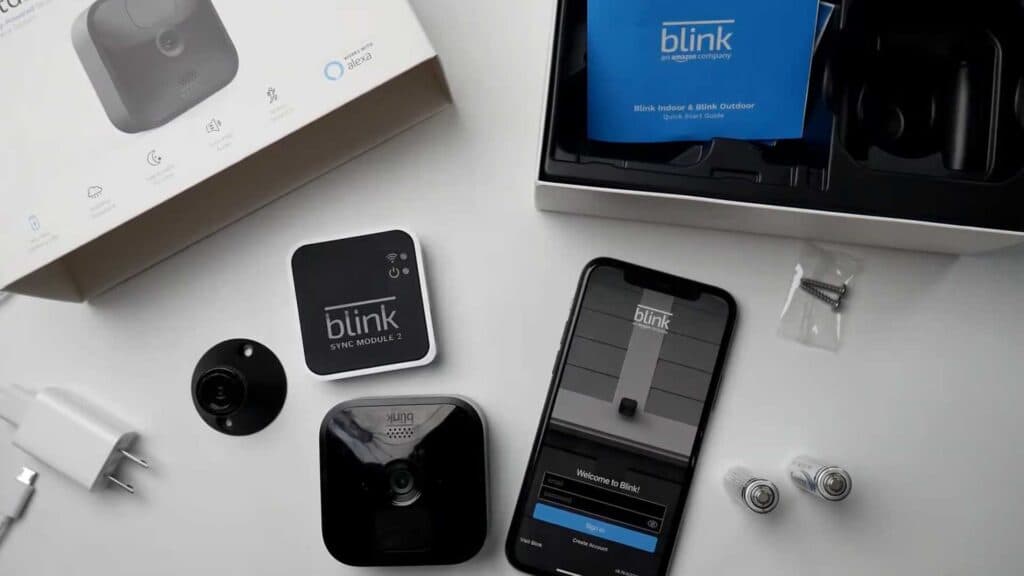
Your Blink outdoor camera is currently unconnected and needs to be configured with your sync module. You can complete this entire setup process in under ten minutes.
- Create an account in the Blink app by selecting your region and entering your email and phone number [1:06].
- Scan the QR code on the back of the sync module using the app to begin adding the device [3:45].
- Plug the sync module into a power outlet and wait for the lights to show a solid green and blinking blue pattern [4:24].
- Join the temporary Wi-Fi network created by the sync module through your phone settings [5:04].
- Select your home Wi-Fi network from the list and enter your password to finish connecting the module [5:51].
- Remove the back cover of your camera using the included tool and insert the two lithium batteries [6:46].
- Tap the plus icon in the app to add a new device and scan the QR code located inside the camera housing [8:09].
- Assign the camera to your existing system and wait for the firmware update to finish [8:34].
- Secure the cover back onto the camera and mount it to your desired surface using the provided screws.
Ninja Tip: Place your sync module in a central location within your home to ensure a strong, stable signal reaches the outdoor camera through exterior walls.
To perform a hard reset on your sync module, press and hold the reset button until you see a solid red light.
Keep Reading



