How to Set Up or Disable Call Forwarding on iPhone

By Trae Jacobs,

When you buy through our links, we may earn an affiliate commission.
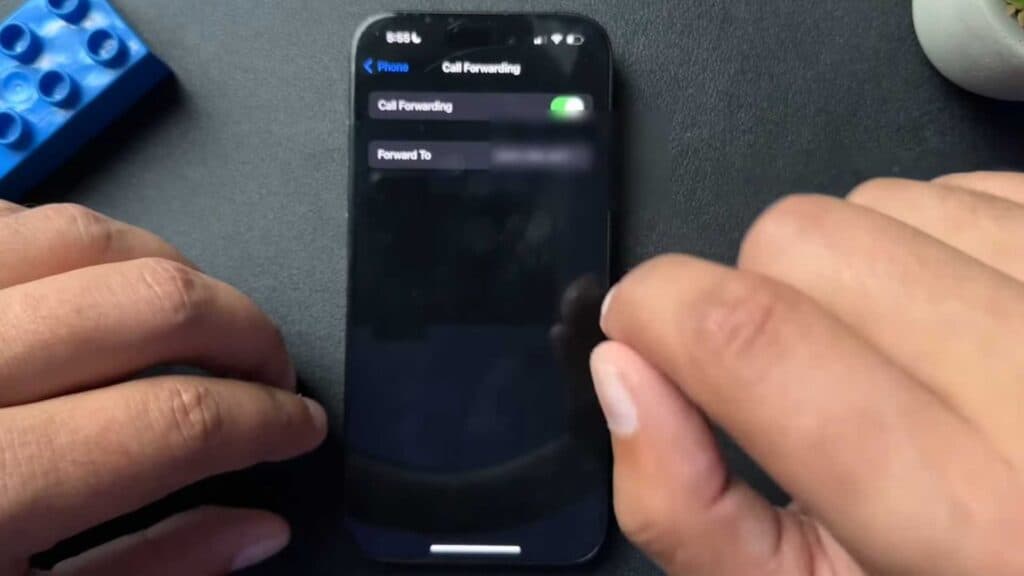
Incoming calls to your iPhone currently go to a different number. You can change this setting in the phone menu.
- Open your Settings and scroll down to the Apps section to find the Phone app [0:06].
- Tap the Phone app, then select the Call Forwarding option [0:25].
- Toggle the switch to the on position so it turns green [0:36].
- Select Forward To and enter the phone number where you want your calls sent [0:39].
- To turn off call forwarding, simply go back to the same menu and toggle the switch to the off position.
Ninja Tip: You can quickly verify if call forwarding is active by looking for a small icon that appears in your status bar at the top of your screen. Alternatively, you can dial #21# in your Phone app to instantly check the status of your forwarding settings.
If you experience persistent issues with your calls, you can reset your network settings by going to Settings > General > Transfer or Reset iPhone > Reset > Reset Network Settings.
Keep Reading



