How to Set an Alarm on Your Sonos Speaker

By Trae Jacobs,

When you buy through our links, we may earn an affiliate commission.
Your Sonos speaker does not wake you up in the morning. You can use the Sonos app to set custom alarms for your specific rooms.
- Open the Sonos app and go to your settings. [0:24]
- Scroll down and select Alarms. [0:26]
- Tap Add Alarm and choose the time you want the alarm to sound. [0:31]
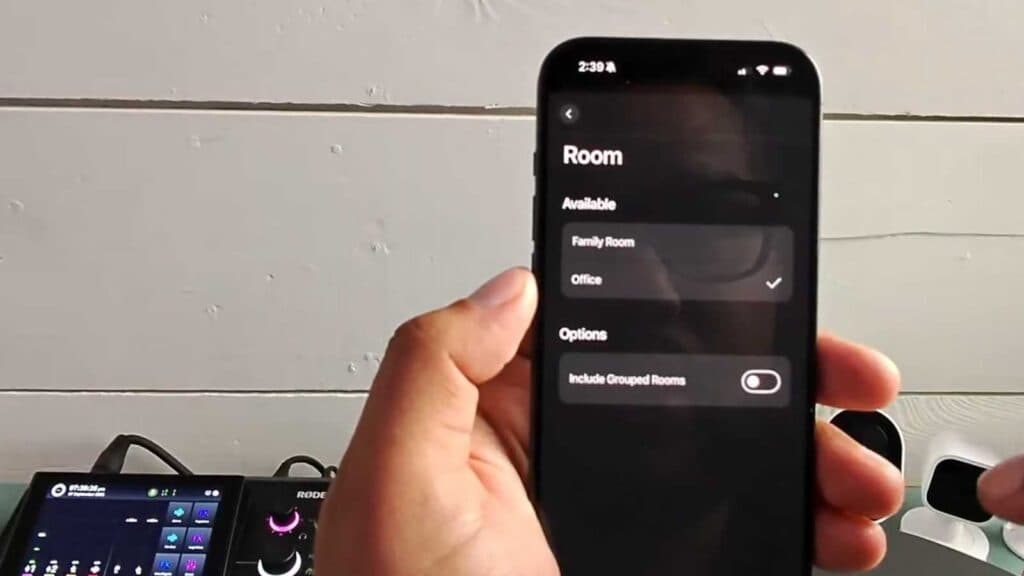
- Select the specific room where you want the alarm to play. [0:39]
- Choose the music or radio station you want to hear when the alarm goes off. [0:57]
- Set the recurring days and the volume level for your alarm, then tap Save.
Ninja Tip: You can set the “Duration” limit in the alarm settings so your music automatically stops playing after a set amount of time, preventing it from running all day if you forget to turn it off. This is a great way to ensure you don’t accidentally leave your music streaming while you are out of the house.
If the alarm feature fails to work properly, perform a factory reset by navigating to Settings > System > [System Name] > Remove Player or Reset Product.
Keep Reading


