How to Reset Your Altec Lansing Speaker

By Trae Jacobs,

When you buy through our links, we may earn an affiliate commission.
Your Altec Lansing speaker is not connecting to your devices or responding to your commands. You can resolve these connectivity issues by performing a manual reset.
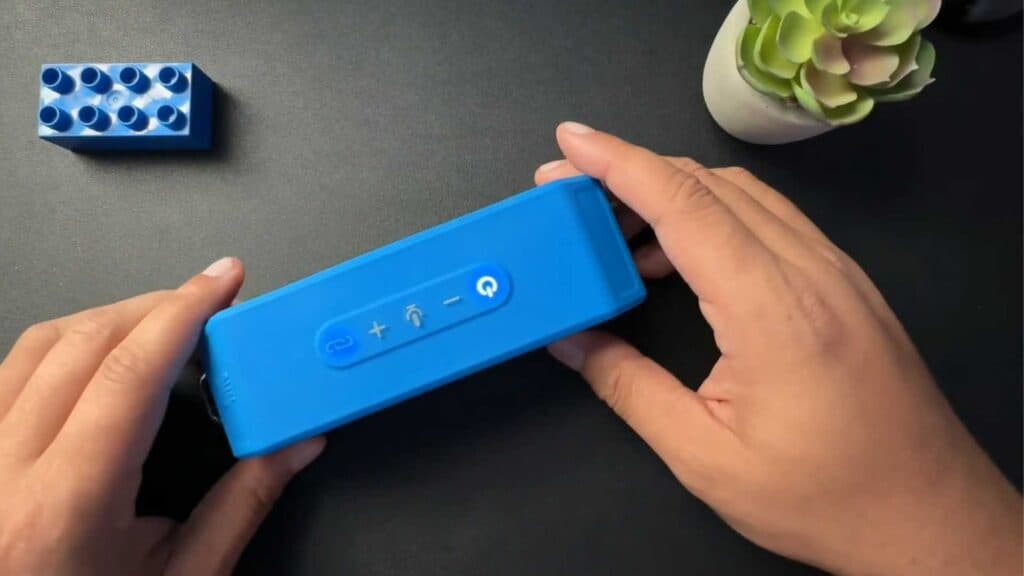
- Press and hold the volume up and volume down buttons at the same time for 5 to 7 seconds [0:13].
- Alternatively, try holding the power button and the volume up button simultaneously for 5 to 10 seconds [0:20].
- Wait for the speaker to make a sound or show an indicator light, which confirms the reset is complete and the device has entered pairing mode.
Ninja Tip: If the speaker still won’t connect, go into your phone’s Bluetooth settings, find your Altec Lansing speaker in the list of devices, and select “Forget” or “Unpair” before trying to reconnect.
To perform a full factory reset if the unit remains unresponsive, hold the power and play/pause buttons together for 10 seconds while the device is powered on.
Keep Reading


