How to Reset a Roku Remote

By Trae Jacobs,

When you buy through our links, we may earn an affiliate commission.
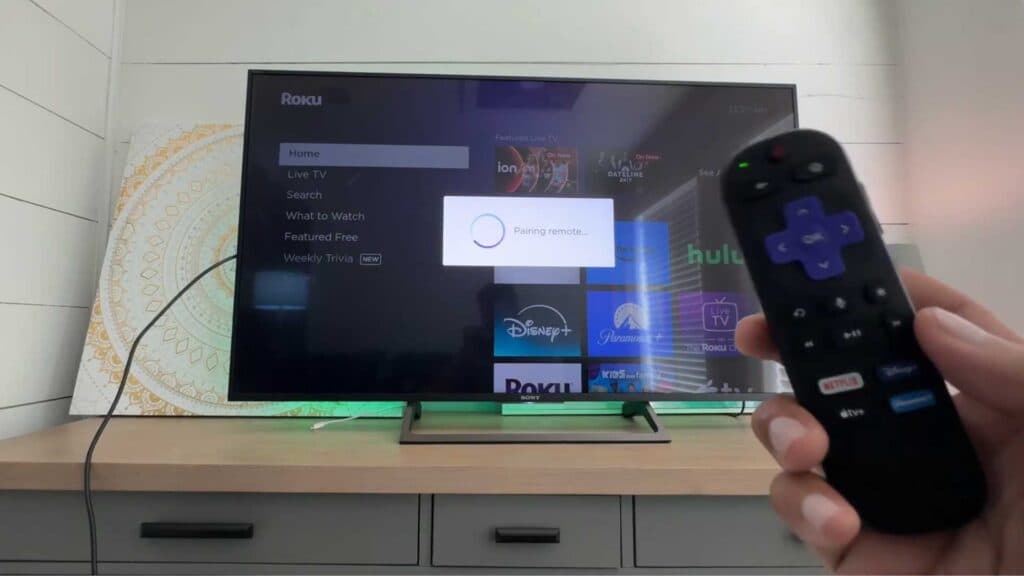
Your Roku remote is not responding to your commands. You can fix this by following a few simple troubleshooting steps.
- Press the reset button located on the back or side of your Roku streaming device to restart the entire system [0:12].
- Remove the batteries from your remote, unplug your Roku device from its power source, and wait 30 seconds for the electrical charge to dissipate [0:35].
- Reinsert the batteries, reconnect the power to your device, and allow it to boot back up to see if the remote starts working [1:21].
- If your remote has a dedicated pairing button inside the battery compartment, press and hold it to re-establish the connection [1:57].
- If your remote lacks a pairing button, press and hold both the Home and Back buttons for five seconds until you see a green light, then press the power button to finish pairing.
Ninja Tip: Check if your remote is experiencing interference by moving any Bluetooth speakers, Wi-Fi routers, or other electronic devices away from your Roku box. These devices can often block the wireless signal between the remote and the streaming player.
If the remote still fails to connect, perform a factory reset by navigating to Settings > System > Advanced system settings > Factory reset.
Keep Reading



