How to Request an App Store Refund on Your iPhone

By Trae Jacobs,

When you buy through our links, we may earn an affiliate commission.
You accidentally purchased an app or subscription you no longer want. You can request a refund directly from your iPhone by following the official Apple process.
- Open your Settings app, tap your name at the top, and select Media & Purchases followed by View Account [0:09].
- Tap on Purchase History to see a list of your recent transactions [0:24].
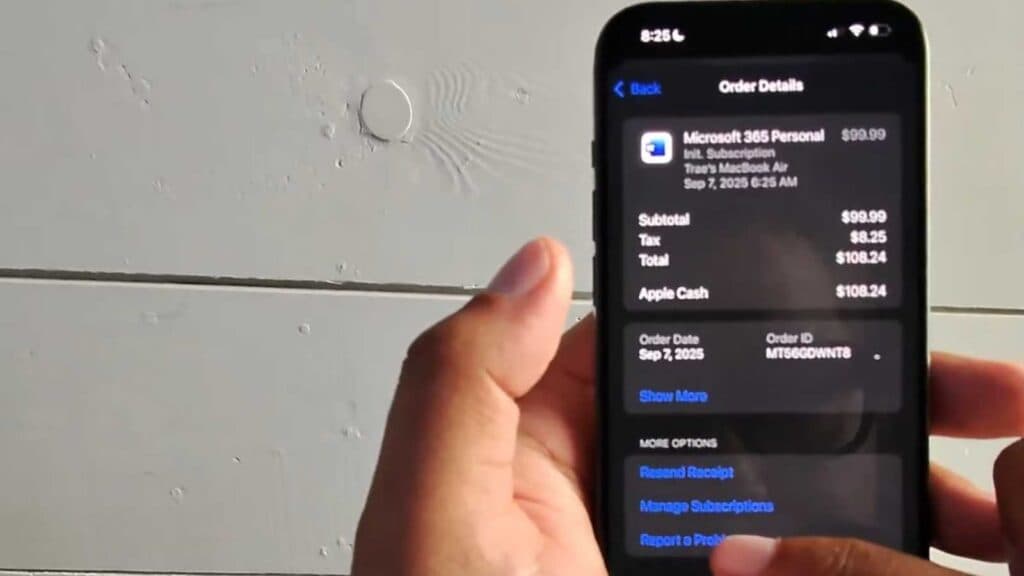
- Select the specific app or subscription you want to be refunded for [0:27].
- Scroll down to the bottom and tap Report a Problem to sign into your iCloud account [0:35].
- Choose Request a refund from the “What can we help you with?” menu and select your reason for the request [0:49].
- Select the specific transaction you are disputing and hit Submit to finalize your request.
Ninja Tip: To prevent future unwanted charges, go to Settings > [Your Name] > Subscriptions and turn off “Renewal Receipts” or cancel the subscription entirely to ensure you aren’t billed again.
If you still face issues with a purchase, you can contact Apple Support directly by navigating to Settings > General > About > AppleCare & Warranty.
Keep Reading



