How to Request a Refund for an App Purchase on iPhone

By Trae Jacobs,

When you buy through our links, we may earn an affiliate commission.
You accidentally purchased an app or subscription on your iPhone and need your money back. You can resolve this issue by submitting a request directly through Apple’s official reporting tool.
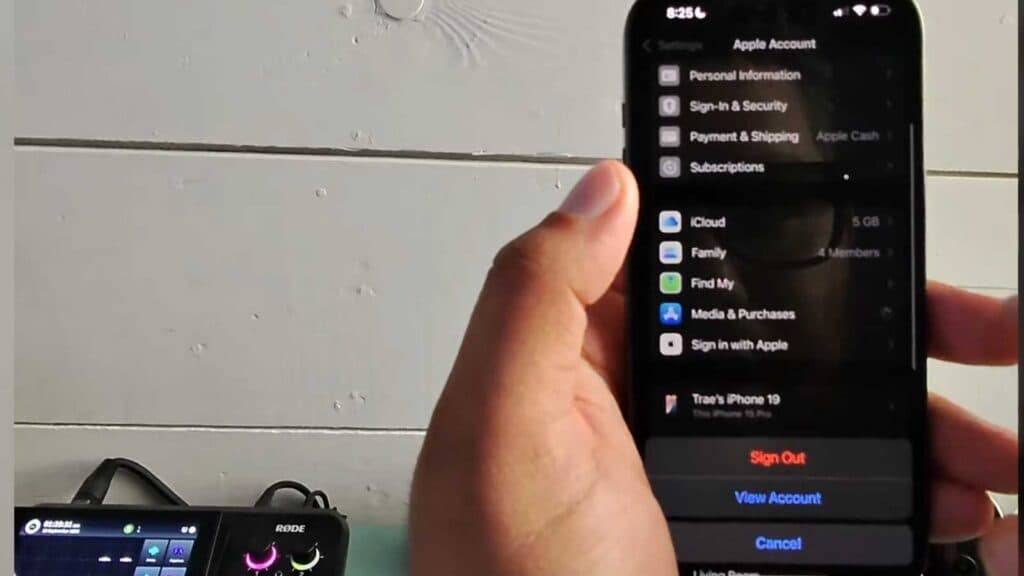
- Open the Settings app on your iPhone and tap your name at the top of the menu [0:07].
- Select Media & Purchases, then tap View Account [0:16].
- Tap Purchase History and select the specific app or subscription you want to be refunded for [0:24].
- Scroll down to the bottom and tap Report a Problem to be redirected to the Apple support website [0:37].
- Sign in with your Apple ID, select Request a refund from the dropdown menu, and choose the reason that best fits your situation [0:42].
- Select the transaction you are disputing and hit submit to finish your request.
Ninja Tip: You can also visit reportaproblem.apple.com directly from any web browser on your computer or phone to see a complete list of your recent transactions and manage refund requests without navigating through your iPhone settings.
If you are unable to process the refund through the automated system, contact Apple Support directly by navigating to Settings > General > About > Apple Support.
Keep Reading



