How to Rename Your Amazon Echo Device in the Alexa App

By Trae Jacobs,

When you buy through our links, we may earn an affiliate commission.
Your Alexa device currently has a name that does not suit your needs. You can quickly update this label directly inside your Alexa app.
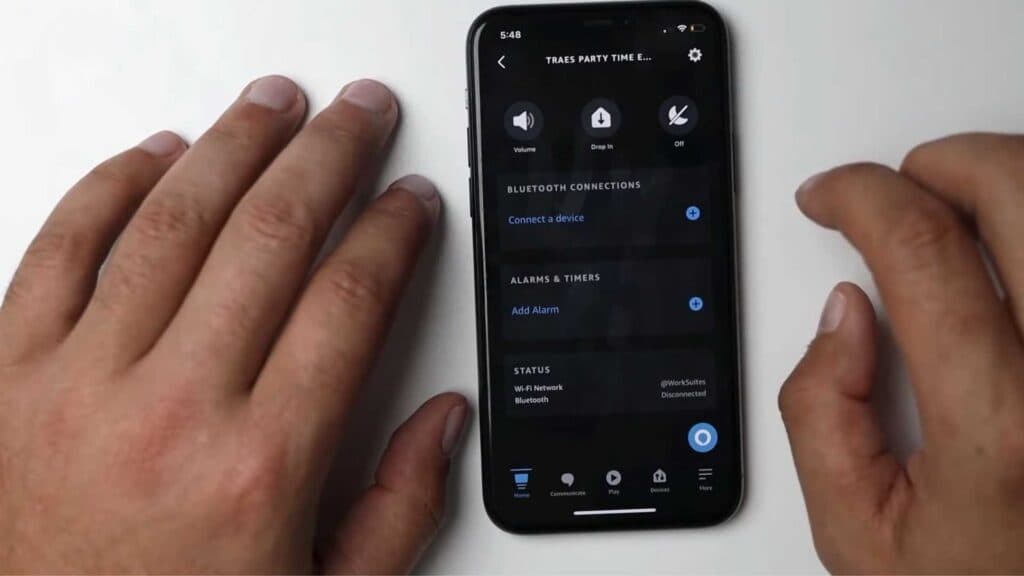
- Open the Alexa app on your phone [0:32].
- Select the specific Echo device you want to rename from your available list [0:38].
- Tap the settings gear icon to enter the device configuration page [0:55].
- Choose the edit name option and type in your new preferred name.
Ninja Tip: Syncing your new name across all devices takes a moment, so check your Alexa web portal at alexa.amazon.com if the name does not update instantly.
If the name change fails to stick, perform a factory reset by navigating to Settings > Device Settings > About > Factory Reset.
Keep Reading



