How to Remove Someone From an iMessage Group Chat

By Trae Jacobs,

When you buy through our links, we may earn an affiliate commission.
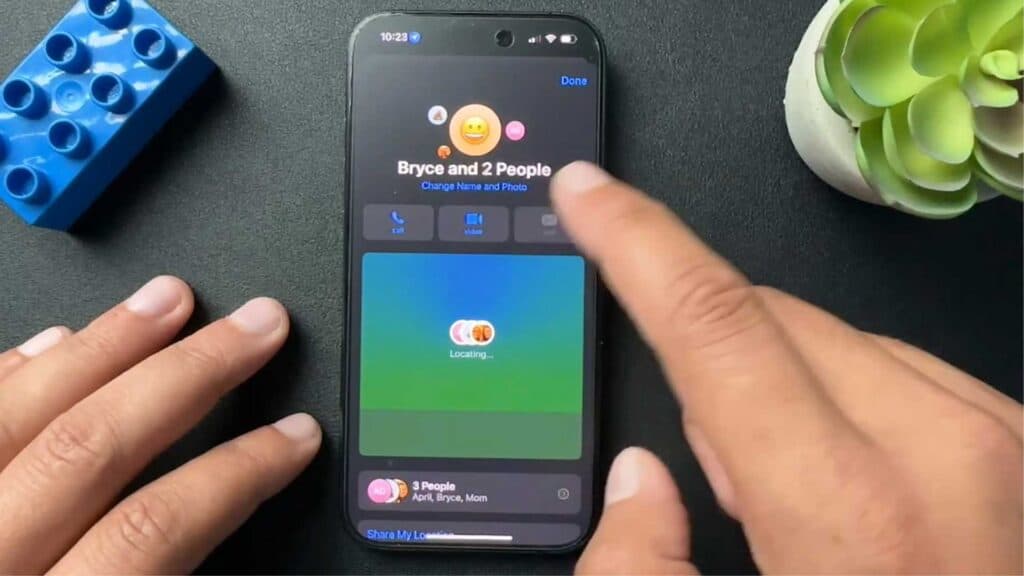
You have someone in your iMessage group who no longer belongs in the conversation. You can easily remove that person by following these steps.
- Tap on the group message to open the conversation details [0:22].
- Scroll down until you find the list of people in the chat and tap the arrow next to their names to expand the view [0:30].
- Swipe left on the name of the person you want to remove and tap the remove icon [0:36].
Ninja Tip: Keep in mind that this removal option only appears if everyone in the chat is using Apple devices; if there is an Android user in the group, you will need to start a new conversation to exclude that specific person.
If you still need to clear a stubborn thread, you can delete the entire chat by going to the Messages app, swiping left on the conversation, and tapping Delete.
Keep Reading


