How to remove a phone SIM card without a tool

By Trae Jacobs,

When you buy through our links, we may earn an affiliate commission.
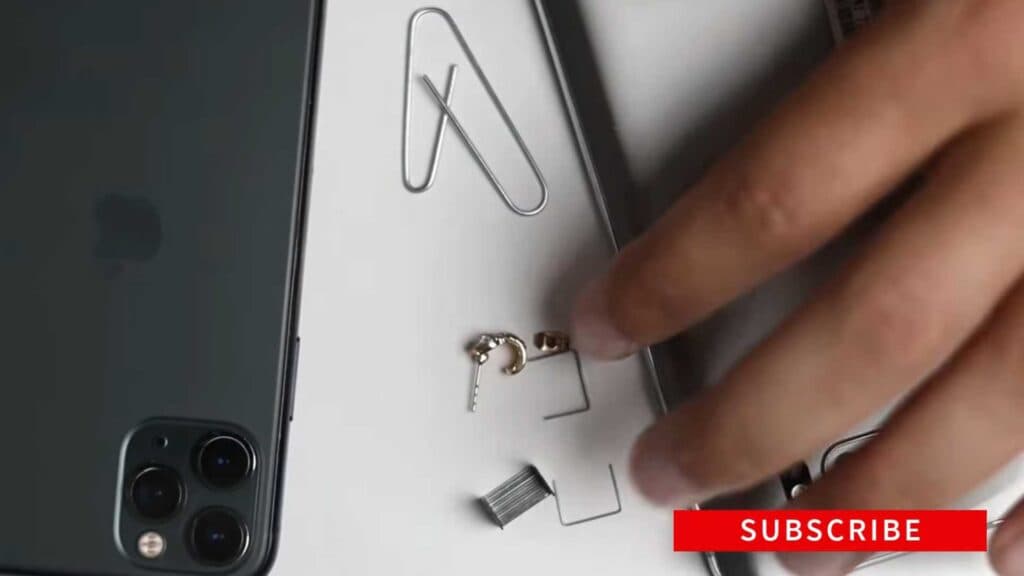
You lost your SIM card removal tool and cannot access your mobile data. You can open the SIM tray using everyday household objects.
- Select a thin object like an earring, a staple, or a paperclip that fits into the SIM tray hole [0:12].
- Insert the tip of your chosen item into the hole and push straight down with firm pressure [0:29].
- Continue to press until the tray pops out slightly from the side of your phone [0:39].
- Pull the tray out completely to remove your SIM card.
Ninja Tip: If the tray feels stuck, ensure your device is on a flat surface to avoid slipping and place a small piece of tape on the back of your SIM card if it is difficult to grasp and remove from the tray.
If the SIM tray remains jammed inside the device, take your phone to a professional repair shop as the internal ejector mechanism may be broken.
Keep Reading


