How to Remove a Phone from Apple CarPlay

By Trae Jacobs,

When you buy through our links, we may earn an affiliate commission.
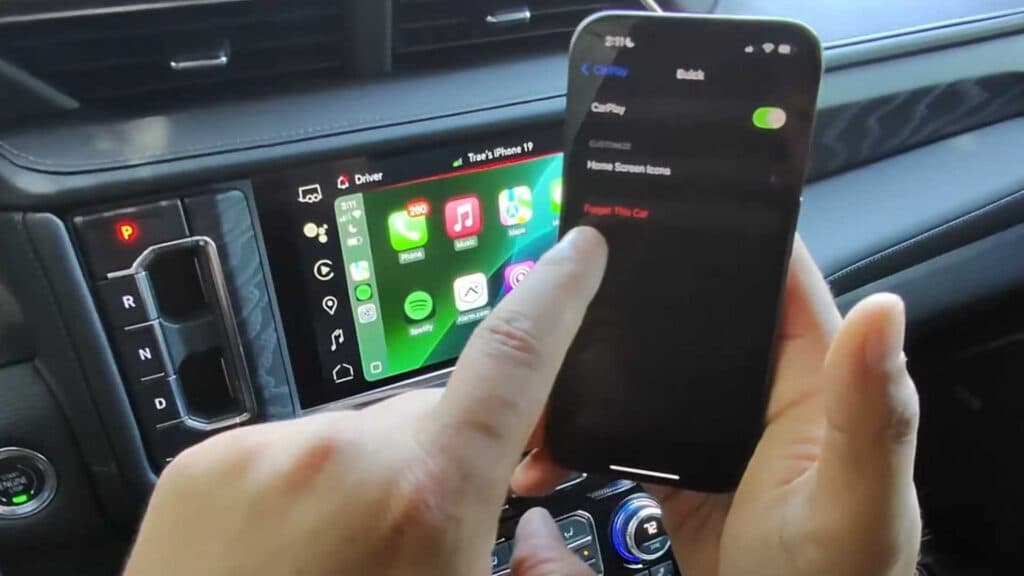
Your iPhone automatically connects to a car you no longer want to use with CarPlay. You can stop this behavior by removing the pairing from both your phone and your vehicle.
- Open Settings on your iPhone, tap General, and select CarPlay [0:25].
- Tap the name of the vehicle you want to remove and select Forget This Car [0:39].
- If you want to remove your phone from the car’s system, find the CarPlay settings on your vehicle’s display [1:09].
- Select your iPhone from the list and choose the option to forget or remove the device.
Ninja Tip: If your car still tries to connect to the phone via Bluetooth, go to Settings > Bluetooth on your iPhone, find your car in the device list, tap the info icon, and select Forget This Device.
If you still encounter connection issues, perform a factory reset of the vehicle’s infotainment system by navigating to Settings > System > Reset Options > Erase all data.
Keep Reading



