How to Remove a Linked Bank Account from PayPal

By Trae Jacobs,

When you buy through our links, we may earn an affiliate commission.
You have a bank account linked to your PayPal profile that you no longer need. You can remove it from your account by following these steps.
- Open the PayPal app on your device and navigate to the accounts section [0:14].
- Scroll down until you find the “Linked banks and cards” option [0:19].
- Tap on the specific bank account you want to delete [0:30].
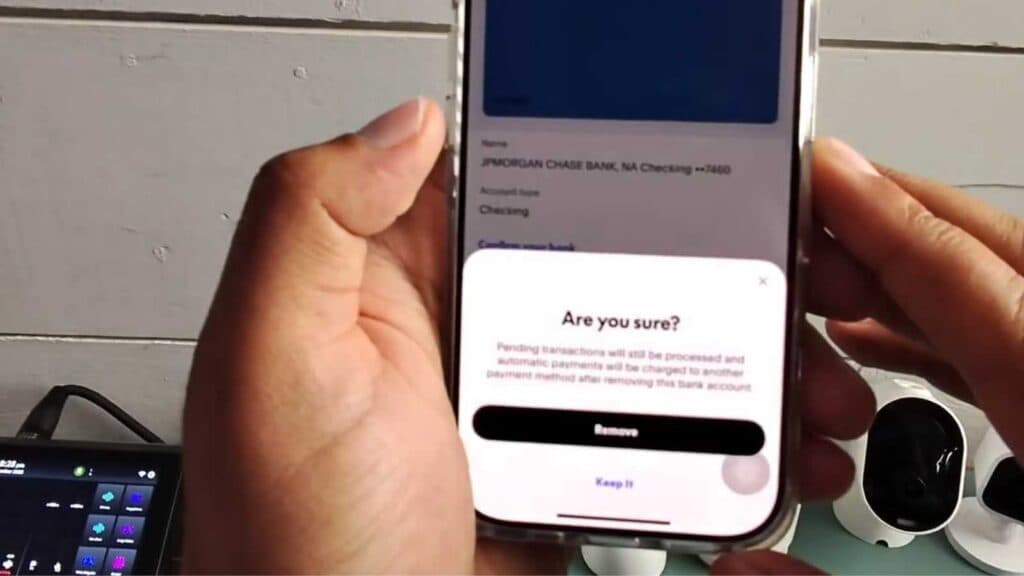
- Select the remove button at the bottom of the screen [0:36].
- Confirm the action when prompted to verify that you want to delete the account [0:42].
- Refresh your screen to verify the bank account is gone.
Ninja Tip: If you are unable to remove a bank account, check if you have any pending transactions or an active automatic payment subscription associated with that specific account, as PayPal will not allow you to unlink it until those are resolved.
If you still cannot remove the account, you can try logging into your account via a web browser and navigating to Settings > Data & Privacy > Manage your data.
Keep Reading

