How to Remove a Blink Camera and Delete Your Account

By Trae Jacobs,

When you buy through our links, we may earn an affiliate commission.
Your Blink device is currently linked to an account you no longer want to use. You can clear your devices or remove your entire account using the steps below.
- Open the Blink app, tap the three dots next to the camera you want to remove, and select Device Settings [0:22].
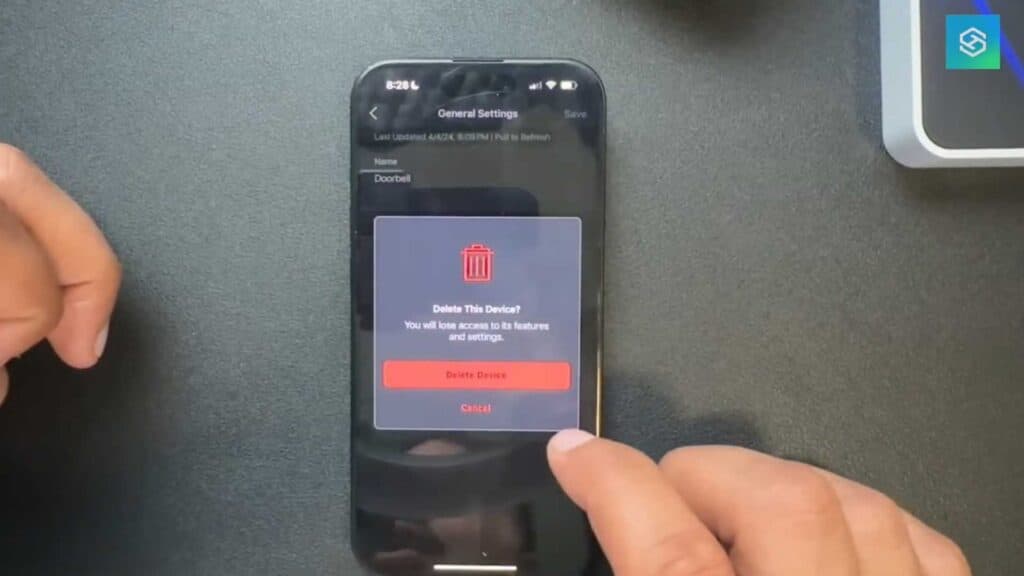
- Go to General Settings, scroll to the bottom, and select Delete Device [0:36].
- Repeat this same process for any other doorbells or devices you need to remove from the app [0:58].
- To delete your entire account, go to the Settings menu on the main screen and choose Account and Privacy [1:25].
- Tap Account Management, select Delete Account, and enter your password to confirm.
Ninja Tip: If you are selling your camera, perform a manual factory reset by holding the reset button on the device itself for several seconds to ensure no data remains on the hardware. This prevents the next owner from running into registration issues when they try to set it up.
For a full system reset, navigate to Settings > System > Reset System.
Keep Reading



