How to Record and Save a Custom iPhone Voicemail Greeting

By Trae Jacobs,

When you buy through our links, we may earn an affiliate commission.
Your iPhone currently uses the default automated voicemail greeting for all incoming calls. You can replace this with a personalized message to better reflect your own voice.
- Open the Phone app on your iPhone [0:08].
- Tap the Voicemail tab located at the bottom right of your screen [0:13].
- Select Greeting in the upper-left corner [0:15].
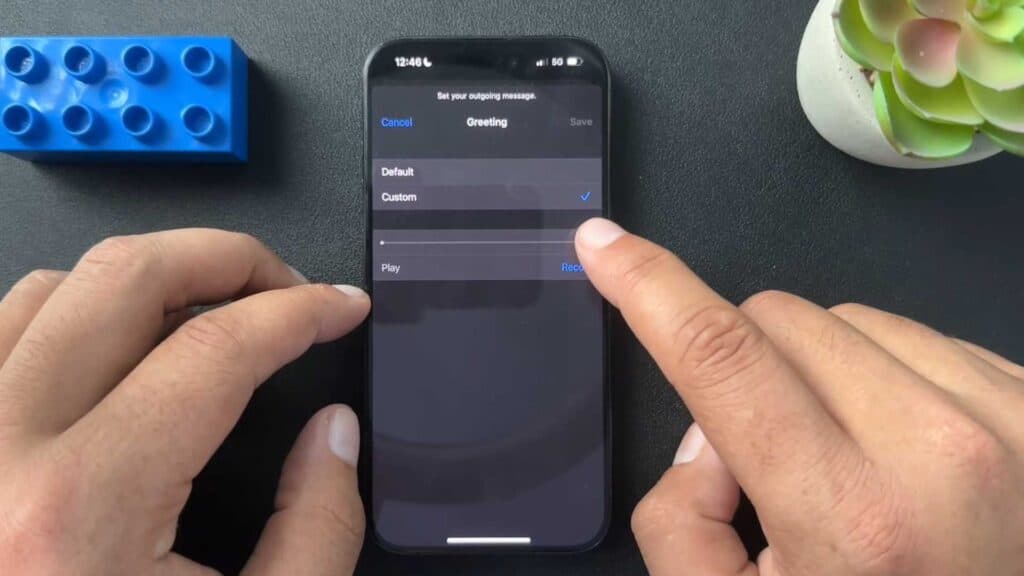
- Tap Custom to prepare your own recording [0:28].
- Press Record to start your message and Stop once you are finished [0:30].
- Play back the recording to verify the audio quality and content [0:50].
- Tap Save to apply your new greeting [1:11].
Ninja Tip: If you find that your custom greeting refuses to save, ensure your voicemail inbox is not full by deleting old, unneeded messages. If the issue persists, try toggling off Live Voicemail in your settings or switching from Wi-Fi to cellular data to ensure a stable connection to your carrier’s servers.
If these steps fail to update your greeting, contact your cellular provider to ensure your voicemail services are fully enabled and functioning correctly.
Keep Reading



