How to Properly Turn Off Your Meta Ray-Ban Smart Glasses

By Trae Jacobs,

When you buy through our links, we may earn an affiliate commission.
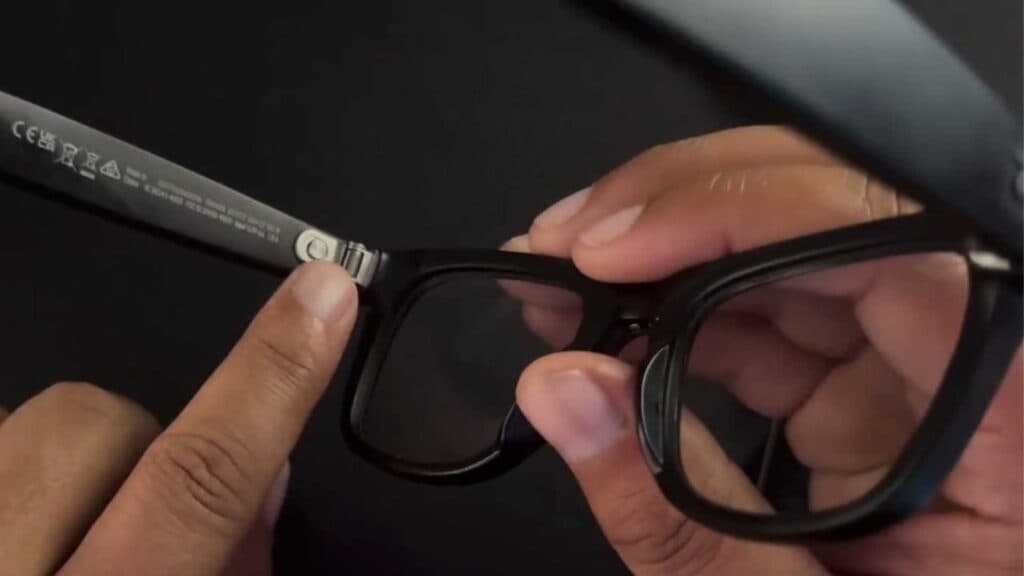
Your Meta Ray-Ban glasses are currently powered on and draining battery life. You can power them down completely using these two methods.
- Fold the frames of your glasses just like you would with a standard pair of glasses to turn them off automatically [0:13].
- Locate the small power toggle on the inside of the frame and slide it until you see the red indicator showing [0:23]. This ensures the device is powered off and will not turn on even if you put them on your face.
Ninja Tip: To avoid accidental wake-ups while the glasses are stored, keep them inside the official Meta charging case, which puts the device into a deep sleep mode regardless of the toggle position.
If the glasses remain unresponsive or fail to power off, you can perform a factory reset via the Meta View app under Settings > Your Glasses > Factory Reset.
Keep Reading



