How to Post Anonymously in a Facebook Group

By Trae Jacobs,

When you buy through our links, we may earn an affiliate commission.
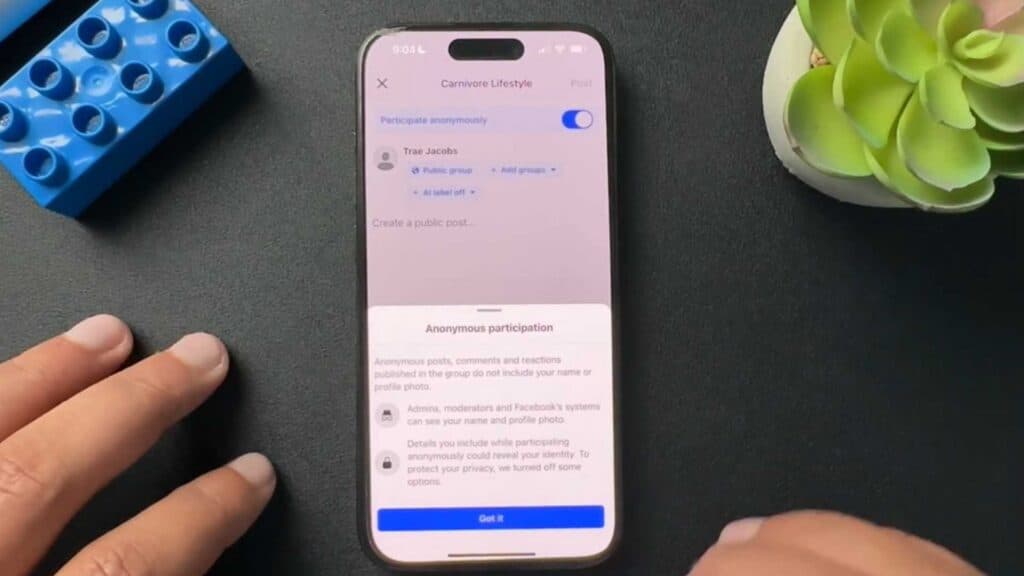
You need to post in a Facebook group without revealing your identity to other members. You can do this by using the built-in anonymous posting feature if the group administrators have enabled it.
- Open the Facebook group where you want to share your post and tap on the field that says “Write something.” [0:23]
- Locate and toggle on the participate anonymously ribbon at the top of the screen to ensure your name stays hidden from other group members. [0:29]
- Compose your message and submit the post to share it with the group while keeping your profile details private.
Ninja Tip: Remember that administrators and moderators of the group, along with Facebook’s automated systems, will still be able to see who created the anonymous post.
If the option to post anonymously does not appear, the group admins have restricted this feature and you cannot enable it manually.
Keep Reading



