How to Pin and Unpin Conversations in iPhone Messages

By Trae Jacobs,

When you buy through our links, we may earn an affiliate commission.
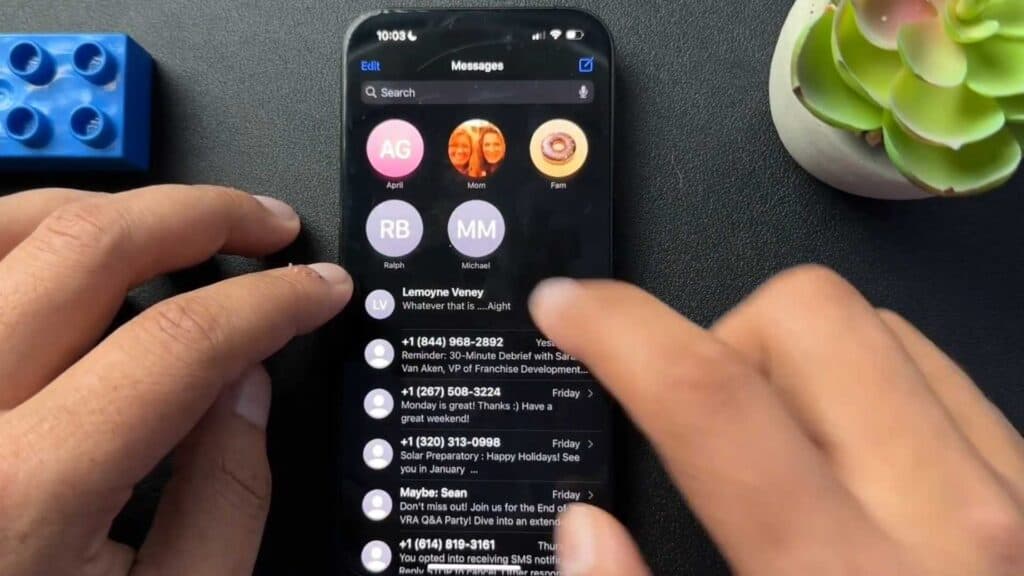
You need to keep specific conversations at the top of your iPhone Messages app for quicker access. You can manage these pinned threads directly from your message list.
- Open the Messages app on your iPhone. [0:01]
- Find the contact or message thread you want to keep at the top. [0:21]
- Long press the thread and tap Pin to move it to the pinned section at the top of your screen. [0:26]
- To remove a thread, long press the pinned conversation and select Unpin.
Ninja Tip: You can quickly reorder your pinned conversations by long-pressing and dragging them to your preferred position at the top of the app.
If you have persistent issues with the Messages app, go to Settings > General > Transfer or Reset iPhone > Reset > Reset All Settings.
Keep Reading



