How to Pause Your Audible Membership and Retain Credits

By Trae Jacobs,

When you buy through our links, we may earn an affiliate commission.
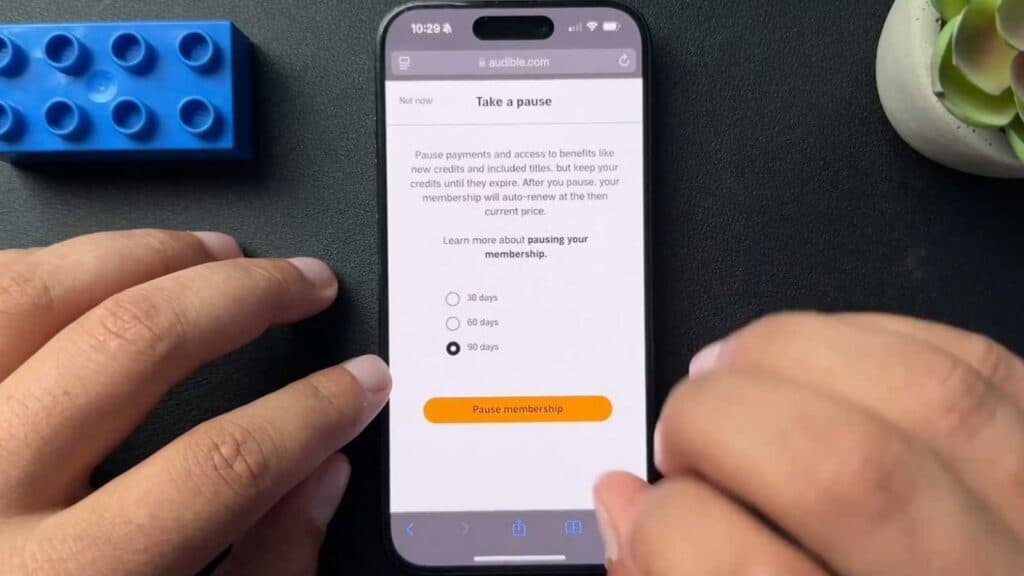
You have too many unused Audible credits and want to stop your monthly billing without losing your audiobooks. You can pause your membership for up to 90 days to catch up on your backlog.
- Use a web browser to log into your account at Audible.com, as the mobile app does not support this feature [0:20].
- Open the main menu, select your account name, and click on Membership details [0:34].
- Scroll down to find the Pause membership option and select it [0:46].
- Choose your desired pause duration and confirm your choice to stop being billed while retaining all your current credits.
Ninja Tip: Even while your account is paused, you can still spend your existing credits on new titles, so keep an eye on your wishlist to make sure you use them before your subscription period resumes.
If you ultimately decide to end your service permanently, you can cancel your subscription via Account Details > Membership > Cancel membership.
Keep Reading



