How to Organize Your Kitchen with the Echo Show 15

By Trae Jacobs,

When you buy through our links, we may earn an affiliate commission.
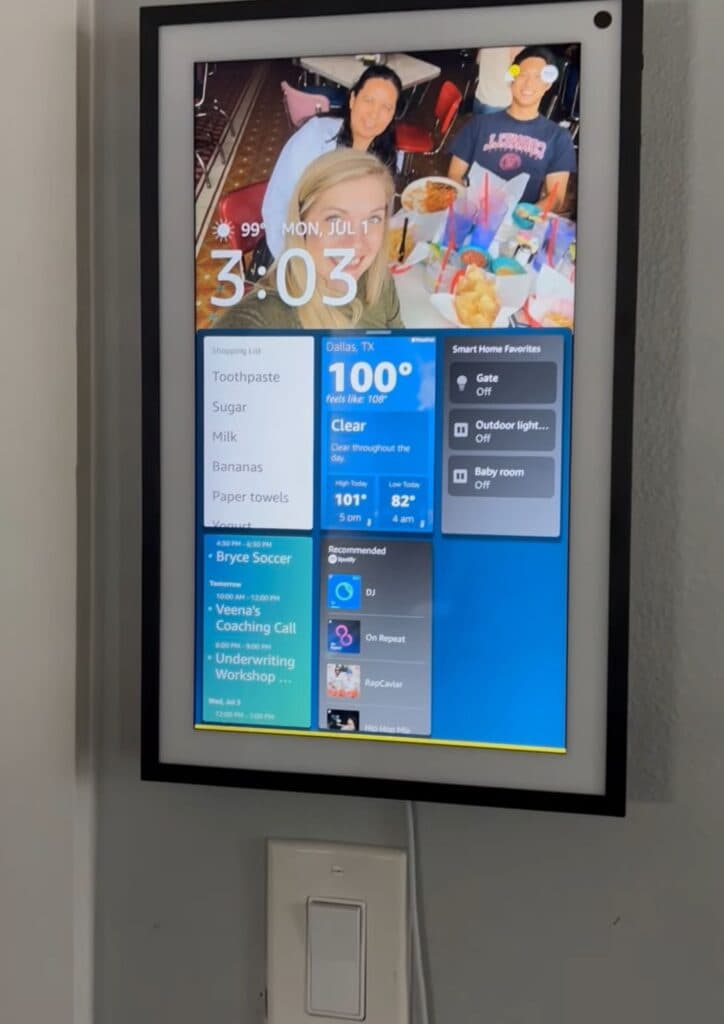
Your Echo Show 15 currently lacks the personalization needed to keep your household running smoothly. You can optimize your device by setting up these three essential features.
- Display your favorite photos by linking your album to the device so it can rotate through your images. [0:20]
- Manage your groceries by telling Alexa to add items to your shopping list, which you can then access from your phone at the store. [0:40]
- Sync your family calendar as a widget so everyone can stay updated on upcoming events.
Ninja Tip: You can enable Alexa announcements to use the Echo Show 15 as an intercom to call the whole family to the kitchen for dinner.
If you need to restart the device, go to Settings > Device Options > Reset to Factory Defaults.
Keep Reading