How to Move the Safari Search Bar to the Top on iPhone

By Trae Jacobs,

When you buy through our links, we may earn an affiliate commission.
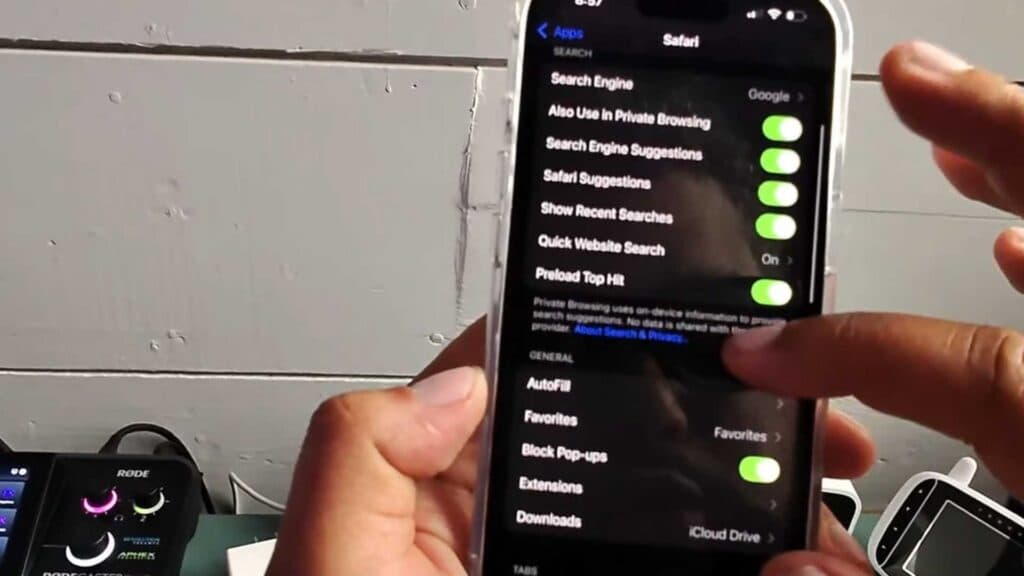
The Safari search bar is currently positioned at the bottom of your screen. You can change this setting to move it back to the top of your iPhone.
- Open your iPhone Settings app [0:20].
- Scroll down to the app list, find Safari, and tap on it [0:25].
- Locate the Tabs section, then select Single Tab instead of Tab Bar.
Ninja Tip: You can quickly toggle between the Tab Bar and Single Tab layouts while browsing by tapping the “AA” icon on the left side of the address bar and selecting “Show Top Address Bar” or “Show Bottom Tab Bar.”
If you encounter persistent issues with Safari, you can reset your browser data by going to Settings > Safari > Clear History and Website Data.
Keep Reading



